

💡 Pro Tip: For complex tasks, asking the AI to work through the problem carefully can help produce a more structured and useful answer.
Have you ever opened ChatGPT and wondered, “What should I ask first?” You’re not alone. Many beginners know ChatGPT is powerful but struggle to write effective prompts. The good news is that you don’t need technical skills. With the right prompts, ChatGPT can help you write faster, study smarter, create content, solve problems, and become more productive. In this guide, you’ll discover over 50 beginner-friendly prompts that you can copy, paste, and customize immediately.
1. Introduction
ChatGPT was originally built as a Large Language Model to help with a vast array of creative, technical and everyday tasks. People often use it as a glorified search engine but it’s really a powerful dynamic collaborative partner.
Whether you are a student, an ambitious business owner, a freelancer or just someone who wants to get organized in life in the way you ask for it, you need to be ready to make the most of your request’s outcome. Your “prompt”. The most critical component on determining the quality of output received is. Talking to the AI makes it a high-level assistant.
2. How to Make a Prompt for ChatGPT?
Consider a prompt as a recipe. You would get whatever a chef has in the refrigerator at that time, if he/she is told to make food. But if you specify “make a true Italian pasta dish with fresh basil on it for a vegetarian ” you’re sure of a better-quality response that is much more specific.
A performing prompt will normally be structured in the following way:
- Context: Provide background to ChatGPT. Who are you? What do you hope to accomplish?
- Role: Give a persona. For instance: Act as a professional copywriter or Act as a career mentor.
- Objective: State what you need. For instance, “Write an email 200 words long.
- Format/Constraint – type of style, tone or length. For instance, “Use bullet points,” “Keep it under 100 words ” or “Use a casual tone”.
3. Writing Prompts
The process of writing can sometimes be intimidating. AI is a great editor and draftsman. Here are some of the top ChatGPT prompts for newbies to get their creative juices flowing:

- Draft a basic outline of an article on a specific topic, for an audience with little or no background.
- Paste the text here; it will be edited for clarity flow and a professional approachable tone.
- Rewrite this story section to be more mysterious, suspenseful and engaging.
- How many blog post titles can you brainstorm for a post on a specific topic that will attract clicks?
- Correct grammar mistakes and recommend some words with a higher degree of appropriateness to increase readability.
- Write a friendly introduction of about 100 words for a beginner-friendly blog post about [topic]. Start with a question that makes the reader curious.
4. Learning & Study Prompts
One way to do that is to get AI as your personal tutor. Try these:
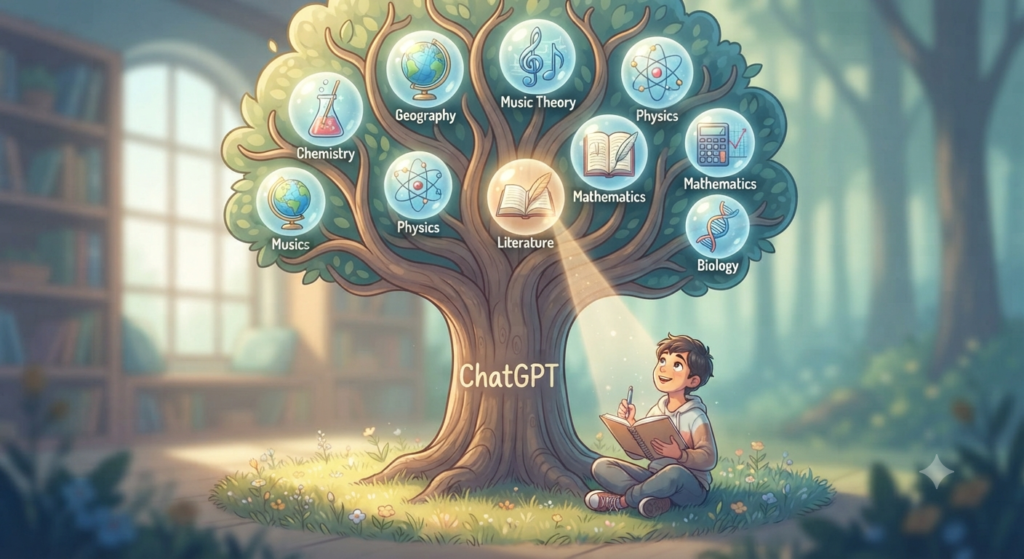
- To explain a specific topic to me as if I were a 12-year-old student.
- Make a 5-question multiple choice test on a topic to test their knowledge after reading this.
- Write the Summary in EXACTLY 5 bullet points: Paste the text here.
- “Help me to understand a difficult concept, give me a world, an analogy that is relatable to me.
- Help me to make a study plan for 3 days to learn the core basics of a subject.
- Act as a patient tutor. Ask me 5 questions about [topic], one at a time. Wait for my answer before asking the next question, and explain any mistakes clearly.
5. Business Prompts
Whether you are scaling up a startup or you have a side business these are your business consultant:

- Act as an experienced business consultant. Review this business idea and tell me its potential strengths & weaknesses: describe the idea here:
- Write a sympathetic letter to a challenging customer who is concerned about something.
- Write a mission statement for a company that is a specific industry or values.
- List 5 new and different possible names for an old fashioned coffee shop.
- To “Make a SWOT Analysis of a Small Ecommerce Company Selling a Product.
- Act as a business consultant. Review this business idea: [describe idea]. Identify 3 strengths, 3 weaknesses, and 3 practical ways to improve it.
6. Marketing Prompts
Marketing requires creativity. Here are other ways to keep your campaigns new:

- Write 5 value propositions for a brand that sells a product.
- Make a character sketch of a target audience that is interested in a product or service.
- Write a 3-month plan for the content of a niche social media account.
- Marketing campaign ideas for a seasonal summer sale for a product” [Suggest
- 10 marketing campaign ideas for a seasonal summer sale on a product.
- “Identify pain points of a customer that needs a service.
7. Email Prompts
Don’t waste time on your email inbox anymore with these templates:
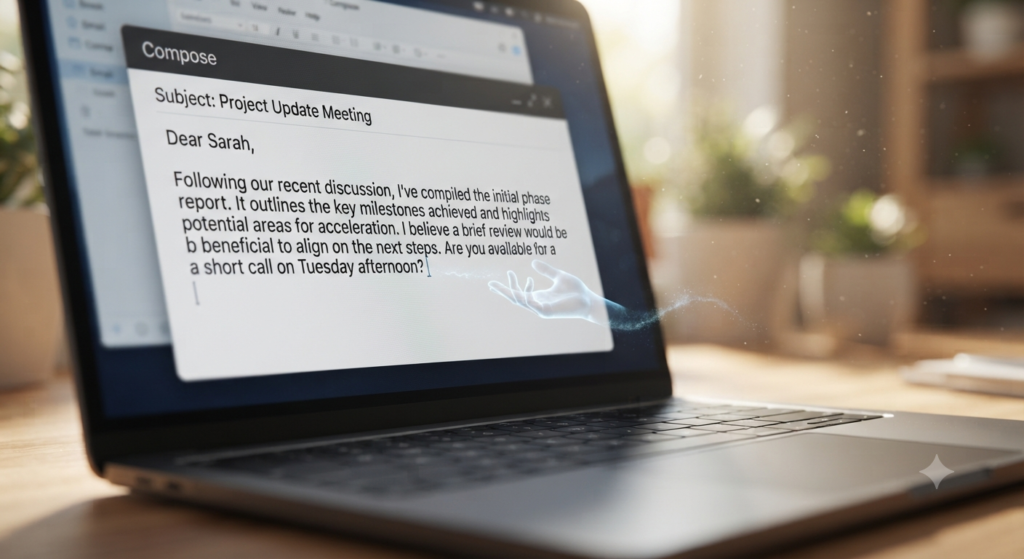
- Identify and write a cold outreach email for a potential customer interested in a service.
- Send a professional rejection letter to a meeting invitation and preserve a good future relationship.
- Write an email that is more enthusiastic, persuasive and action-oriented: copy and paste the email here.
- “Develop a follow-up email after a job interview.
- Write a friendly and clear out-of-office message for a week-long vacation.
- Rewrite this email to make it clear, concise, and professional while keeping the original meaning: [paste email].
8. Coding Prompts
Tasks do not require a developer to be able to leverage AI:

- Paste the code here and explain exactly what this specific code block does:
- “Please help me with this JavaScript function, I am getting an error; write the function here.
- Write a Python script to scrape headlines from a webpage.
- Translate this Python code to C++: Paste the code here.
- Recommend best practices for organizing CSS for a large project.
- Explain this code step by step for a complete beginner. Define any technical terms you use: [paste code].
9. Social Media Prompts
Be consistent and innovative on all channels:

- 3 variations of an Instagram caption, for a post about a topic, keep it casual, fun, include relevant emojis.
- “Create 10 popular, attention-grabbing hashtags for a LinkedIn article on an industry.
- Create a energy 30-second TikTok script for a video showing how to use a product.
- “Write a tweet that is short and shareable about a current trend/topic.
- “Come up with an idea for a poll to promote participation in a professional Facebook group.”
10. Productivity Prompts
Stop procrastinating and begin to execute:

- Please divide this difficult project into 5 small steps that I can take each day: describe this difficult project here.
- Create a 20-minute daily routine to help me stay focused and energized.
- Write a simple weekly menu plan using these particular ingredients: list ingredients here.
- Help me to create a prioritised list of tasks for my day from least important.
- Propose a system for dealing with my digital documents/e-mails to prevent clutter.
- Review this list of tasks and organize them into high, medium, and low priority. Explain briefly why each task belongs in its category: [paste tasks].
11. Prompt Templates You Can Copy!
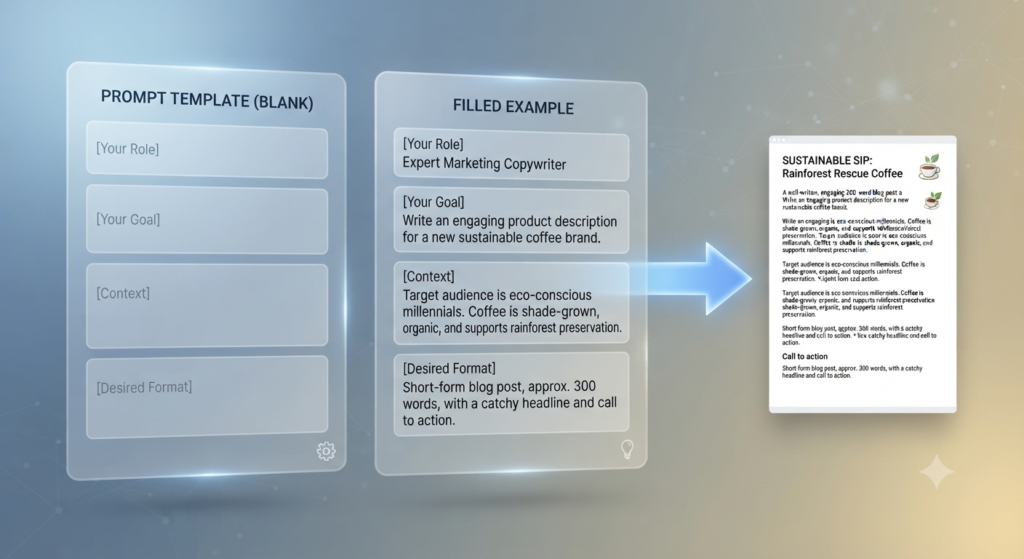
If you wish to use these “master” templates, copy and paste them and replace the information with your own.
- Expert Advisor: “Assume a specific expertise position; e.g., Career Coach: I’m having a problem right now; what can I do that would really help this right now?
- The Content Improver: “I have written this piece of content: paste the content here. Please rewrite it to be more persuasive, concise or whatever tone you like, but please keep the meaning and intent the same.
- The Quick Summarizer: Please read the following text and provide this text in two sentences followed by the 3 most important key points for me to remember: paste the text here.
12. Common Prompt Mistakes
Experienced pros make mistakes from time to time. To get the best out of these ChatGPT prompts, for beginners avoid these common pitfalls:

1. Too Vague: Request a “marketing plan” is too general. Always have industry in your target audience and what you are trying to achieve.
2. Forgetting Context: Do not assume the Artificial Intelligence knows your situation always tell the Artificial Intelligence who you are and why you need the information. That’s crucial since the Artificial Intelligence must know what you’re discussing.
3. Prompting for Much: A single prompt doesn’t have to have 10 super big tasks. If a task is complicated, divide it up into smaller ones. This will help the Artificial Intelligence understand what you’re looking for.
4. Not Iterating: If the first answer is not perfect keep the conversation going with the intelligence. When the response is inadequate, say, “That’s a good beginning, but keep it shorter ” or “Use a more professional tone. This will help the Artificial Intelligence to provide you with an answer.
5. Assuming Factuality: read back factual information, particularly dates, statistics, legal or medical information. Sometimes the information that the AI provides may seem authoritative, but it’s not necessarily accurate, so use caution.
Conclusion
The AI technology is getting more and more user-friendly. Knowing how to communicate with tools, such as ChatGPT, is very important. Knowing how to use these prompt phrases you will be able to use the technology to assist you in your professional life. It’s not about tech skills, it’s about asking questions.
The secret, to success is asking questions. The starting point is the ChatGPT prompts. You have to experiment and find out for yourself what works for you. Keep trying. You will become more skilled in the use of the Artificial Intelligence.
The intelligence can be used by both freelancers and beginners to accomplish much. There’s no limit to how well you make your questions.
Looking forward to testing these out?
We’d love to hear how you are using the ChatGPT prompts. Did you discover a prompt that altered the way you function or did you alter one of these prompts to obtain a result? Tell them in the comments below about your prompt or success story. You may have some ideas that help another individual or groups use the intelligence.
FAQs
1. What is a “prompt” in the context of ChatGPT?
Answer: A prompt is simply the text, question, or instruction you type into the chat box. It is the “input” that tells the AI what task to perform, and the quality of your prompt determines the quality of the AI’s response.
2. How do I make my prompts better?
Answer: Follow the C-R-O-F framework: Provide Context (background info), assign a Role (e.g., “Act as a teacher”), state your Objective (the specific task), and define the Format (e.g., “Use bullet points”).
3. What should I do if the AI gives me a bad or irrelevant answer?
Answer: Don’t give up! ChatGPT is conversational. You can “iterate” by providing feedback. For example: “That’s too technical; please explain it more simply,” or “Add more examples to your response.”
4. Can ChatGPT make mistakes?
Answer: Yes. While it is a powerful tool, it can occasionally “hallucinate” (provide incorrect or made-up information). Always double-check critical facts, dates, or data, especially for professional, medical, or legal topics.
5. How long should a prompt be?
Answer: A prompt should be as long as necessary to be clear. You don’t need a novel, but a few specific sentences are almost always better than a single vague word or a massive wall of text.
6. Do I need to be a “tech expert” to use these prompts?
Answer: Not at all! Anyone can use these prompts. If you can write a text message or an email, you can use ChatGPT. The prompts in this guide are designed specifically for beginners to get started instantly.
7. Is it okay to use ChatGPT for school or work assignments?
Answer: Use it as a brainstorming, outlining, or editing partner rather than a replacement for your own work. Always follow your institution’s or employer’s specific policies regarding AI usage.
8. Can I use ChatGPT to write code even if I’m not a programmer?
Answer: Yes. You can ask it to “Explain this code,” “Find the error in this snippet,” or “Write a simple script to automate [task].” It’s a great way to learn programming logic.
9. Is there any information I should never share with ChatGPT?
Answer: Yes. Never share sensitive personal information like your home address, financial details, passwords, or confidential company secrets. Treat the chat interface as a public space.
10. How often should I practice using prompts?
Answer: Even just 5–10 minutes a day of experimenting with different prompts will help you understand how the AI “thinks,” eventually making you a much faster and more productive user.
Call-to-Action (CTA)
“You have the tools; now it’s time to make them work for you. Whether you’re just starting your AI journey or looking to boost your freelance productivity, now is the time to start experimenting. Pick a prompt, run it, and see the results for yourself! I’d love to hear your experiences—did you get a great result, or did you tweak a prompt to make it even better? Share your tips and suggestions in the comments below; your insights might just help someone else take their first step!”