
Introduction
Do you have a visual idea but lack professional graphic design skills? Perhaps you’re a student who needs a cool presentation slide or maybe perhaps you are a new freelancer looking to make a social media feed for a client look awesome. This used to require software hours of tutorials and/or a pro.
Today, creating professional-looking images is easier than ever thanks to AI. The beauty of AI is that you don’t have to be an expert on design – you simply have to think about it and enter your text. ChatGPT Images lets you create and edit images using simple text prompts, even if you have no graphic design experience. If you’ve ever wished you could turn your ideas into beautiful images without learning graphic design, you’re in the right place.
How It Works: The Magic Behind AI Image Generation
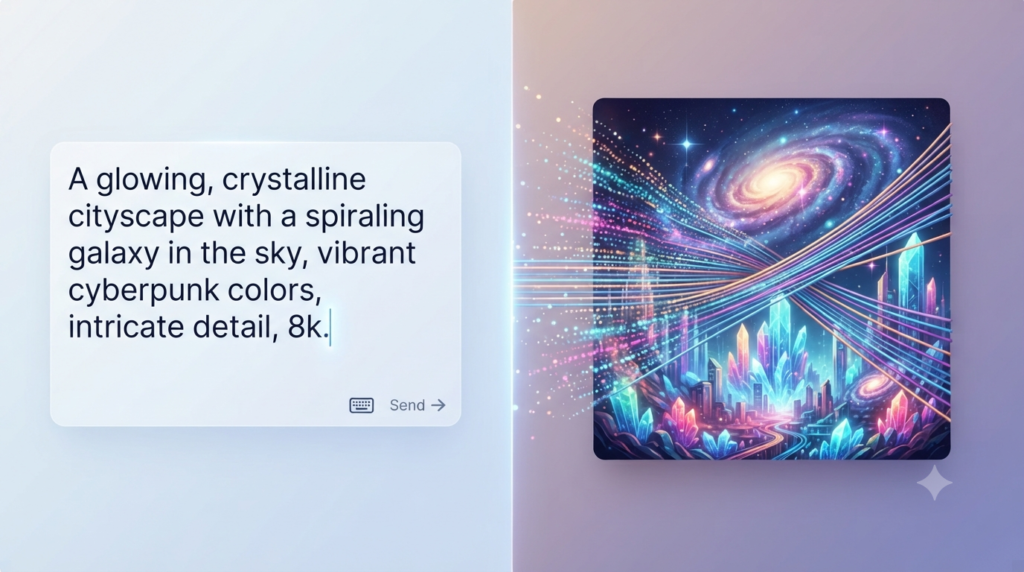
Understand the magic behind AI-generated images. Explore the nitty-gritty of AI image generation.
This is based on a technology called DALL-E 3. Think of DALL·E as an artist that has learned patterns from millions of images. When you describe what you want in words, it uses that knowledge to generate a completely new image based on your instructions.
What You Need to Get Started
The following information will help get you started.
If you are about to use it, be sure that you have the setup. ChatGPT Images is available across ChatGPT plans, although usage limits and available features can vary by plan. You can create images on the web and mobile apps.
- Account Access: If you are having difficulty accessing your account, please ensure that your subscription is active.
- Accessibility: It can be used on a laptop or a phone; it’s user friendly in both cases. You can create images as many times as you like with the ChatGPT app and website.
- A “Creative” Mindset: The mindset is different from software. You’re not using tools, you are conversing with the AI. Prepare to tell about what you imagine in your mind.
Learning How to Make the “Prompt” Artistic
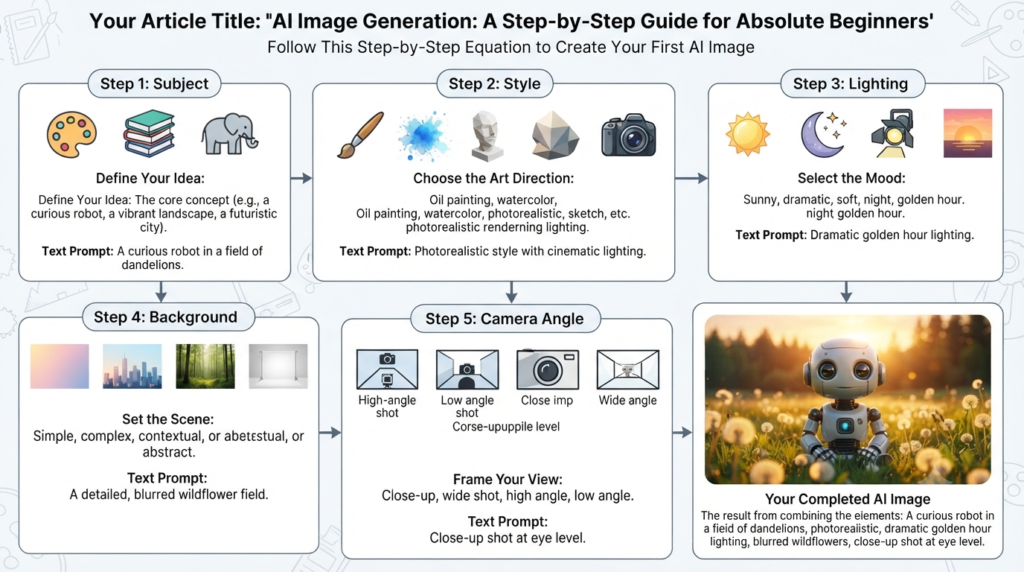
The key to capturing an image is the prompt. AI’s prompt serves as its instruction.
The Golden Rule of Prompting: Use a specific prompt. You may simply enter “a cat ” and the AI will choose a cat. When you type in “a fluffy orange tabby cat sitting on a windowsill in a sunlit cottage kitchen, watercolour style,” the AI is all too familiar with what it should do.
Subject + Style + Lighting + Background + Camera Angle + Colors
- Subject: What do you wish to see?
- Style: Do you want a photograph, cartoon, oil painting or 3D image?
- Lighting: Is it daylight, night-time or studio lighting?
- Composition: Do you want a close-up, wide shot, overhead view, or another composition?
Step-by-Step: Creating Your First Image with ChatGPT
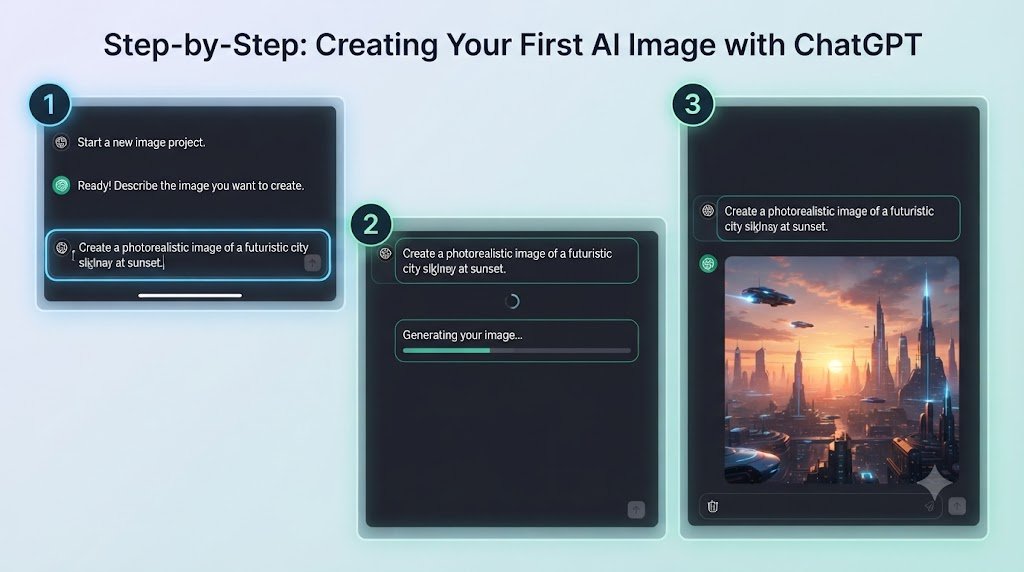
Follow these steps:
- Open a New Chat: To get a fresh start, open a new chat, and the AI will concentrate on your task.
- Describe Your Vision: Begin with a sentence. For instance: “Design a contemporary header for a blog post on time management that incorporates colors such as blue and white with a stylized clock and notebook.
- Generate the Image: Send your prompt and wait for ChatGPT to generate the image.
- Review and refine: Go over the result and refine it. Does it look right? Well, if not then that’s what it is.
Tips for Better Visuals: Refining Your Results
Typically, the first one doesn’t work out. What’s cool about ChatGPT is that you can chat with it as if it were a human.
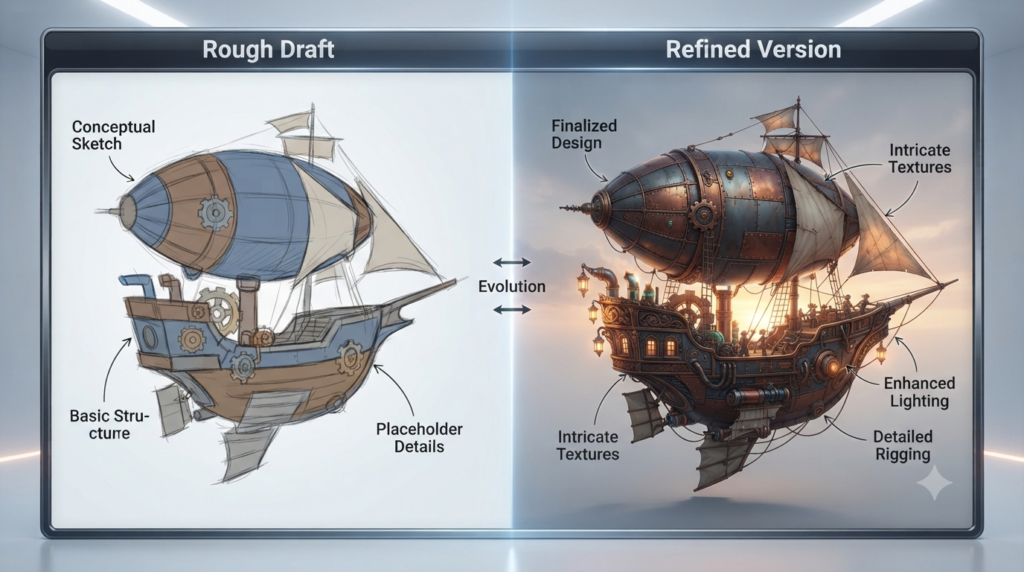
- Make Adjustments: If the image looks too dark, ask ChatGPT to make it brighter.
- Add Details: If something is forgotten, then add it: “Include a plant on the desk.
- Change the Vibe: Ask ChatGPT to create the image in a Pop Art, watercolor, realistic, or another style.
Best Practices & Ethical Considerations
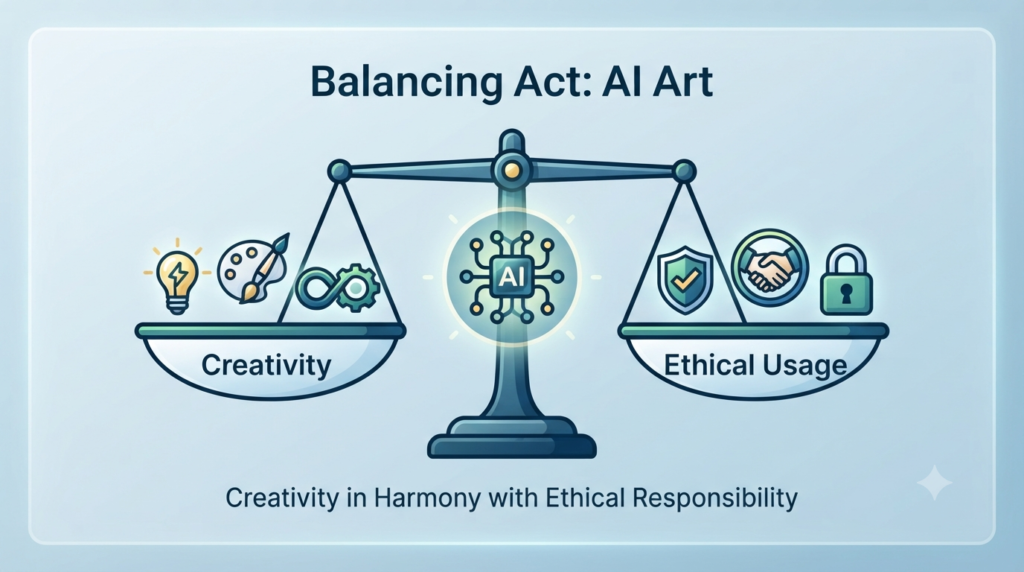
As you start creating remember a thing:
- Copyright and ownership: OpenAI generally gives users ownership of the output, subject to applicable law and the current terms. However, copyright protection for AI-generated content can vary by country, and similar images may be generated for other users. Check the latest terms before using AI-generated images commercially.
- Be Mindful: Follow ChatGPT’s safety rules and respect people’s privacy and rights. Do not use AI to identify people, infer private or sensitive information, or reproduce someone’s likeness without appropriate consent and rights.
- AI images should not be used to: Spread misinformation, impersonate real people, create deceptive content.
- Quality Control: AI can also get details wrong, such as text, or hands. Never assume that your images are ok.
What are some creative applications that can be made with your AI images?
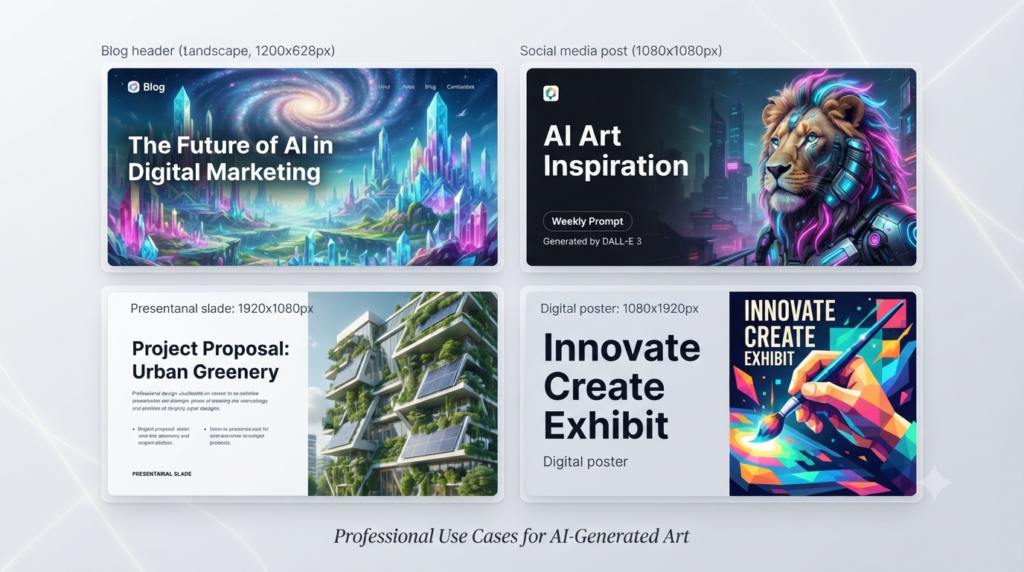
Once you have created them, where will you use them?
- For Students: Create presentations with AI images. Don’t use stock images, make custom images to convey your ideas.
- For Freelancers: Utilize them for creating media graphics, email banners or mockups for websites. It’s one of the ways to provide greater value to clients.
- For Fun: Make Posters, design a new wallpaper or draw something different for your blog.
FAQs
1. Do I need special design skills to use ChatGPT for images?
Answer: No. You only need the ability to describe your ideas clearly. If you can explain what you want in plain English, the AI can generate it for you.
2. Is image generation in ChatGPT free?
Answer: ChatGPT Images is available on all ChatGPT plans, but usage limits and available features can vary by plan.
3. How do I download the images I create?
Answer: Open the generated image and select Save to download it to your device.
4. Can I edit an image after it has been generated?
Answer: Yes! You can continue the conversation by asking the AI to make specific changes, such as “change the background color,” “add more people,” or “make it look like a pencil sketch.”
5. Who owns the rights to images generated by AI?
Answer: Generally, you are free to use the images you create for your projects. However, copyright laws regarding AI-generated art are evolving, so it is best to check OpenAI’s latest Terms of Use for specific commercial usage details.
6. What is a “prompt,” and why is it important?
Answer: A prompt is the instruction you give the AI. It is the “command” that tells the model what to draw. Being specific about style, lighting, and composition is the key to getting a high-quality result.
7. What if I’m not happy with the first result?
Answer: Treat it like a rough draft! You can provide follow-up feedback to the AI, or ask it to “regenerate” the image with a slightly different prompt to get a new variation.
8. Can I use these images for my professional or freelance work?
Answer: Yes, many freelancers use AI-generated images for social media posts, blog headers, and presentation mock-ups. It is a powerful tool to quickly create high-quality placeholders or custom assets.
9. Are there things the AI cannot or will not generate?
Answer: Yes. ChatGPT has safety guardrails that prevent it from generating content that is hateful, violent, sexually explicit, or depicts real public figures.
10. Does ChatGPT work on mobile devices for image creation?
Answer: Yes, the ChatGPT mobile app supports image generation just like the desktop version, allowing you to create visuals on the go.
11. Do I need artistic skills to create images with ChatGPT?
Answer: Not at all! You need descriptive skills, not drawing skills. If you can explain your idea, you can create the image.
12. Can I use the images I generate for commercial projects?
Answer: Yes, OpenAI’s terms generally state that you own the output you create, subject to applicable law and the current terms. Copyright protection may vary depending on your jurisdiction.
Conclusion
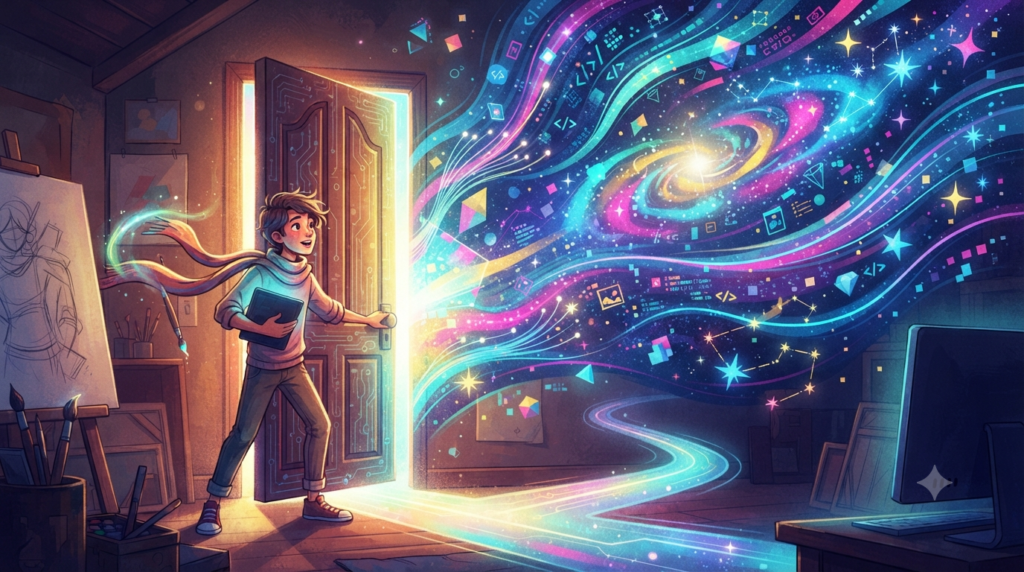
Moving from a blank screen to a finished visual in minutes is an empowering feeling. Whether you are a student, a freelancer just starting your journey, or simply a creative person with a hobby, AI image generation is a tool that grows with you. The more you practice your prompting, the more the AI understands your unique style.
The best way to improve is to experiment. Every prompt teaches you something new, and with practice, you’ll create images that match your imagination more closely.
Call-to-Action (CTA)
Open up ChatGPT, try out a prompt from this guide, and share your creations in the comments below! Don’t forget to subscribe to the newsletter for more AI tips—we’re here to help you stay ahead of the curve.