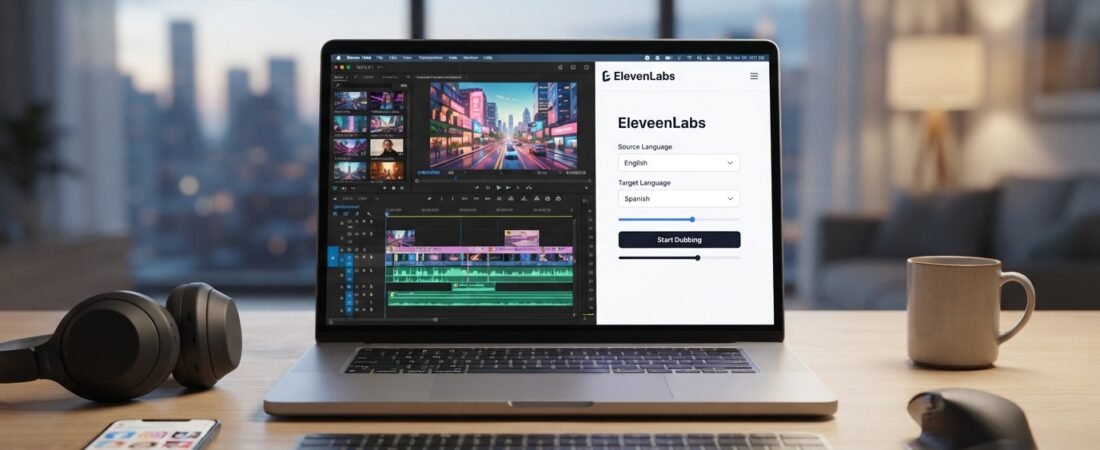
Suppose you’ve created a truly great video with AI video generators. It’s well-thought-out, well-edited, and possibly a little proud of itself. But there’s one problem: it speaks one language, while your audience speaks a dozen. Learning how to dub a video with ElevenLabs is exactly how creators are solving this today.
The old method of dubbing was once the only way to do this, and, frankly, it was a pain. You had to hire voice actors, book studio time, manually sync audio, and wait days or even weeks for one language version. That’s simply not practical for most creators, freelancers, and small teams.
This is where ElevenLabs steps in. Its dubbing tool can dub a video into a different language while attempting to preserve the speaker’s voice, speaking style, and overall delivery. You don’t need to spend hours coordinating recordings, book a studio, or wait days for a voice actor.
By the end of this guide, you’ll know how to dub a video with ElevenLabs from start to finish, what it does well (and what it doesn’t), and whether you should consider adding AI dubbing to your toolkit.
What Is ElevenLabs Dubbing?
If you’re just starting to explore AI dubbing, you may have mixed up a few related terms. Here’s how they differ.
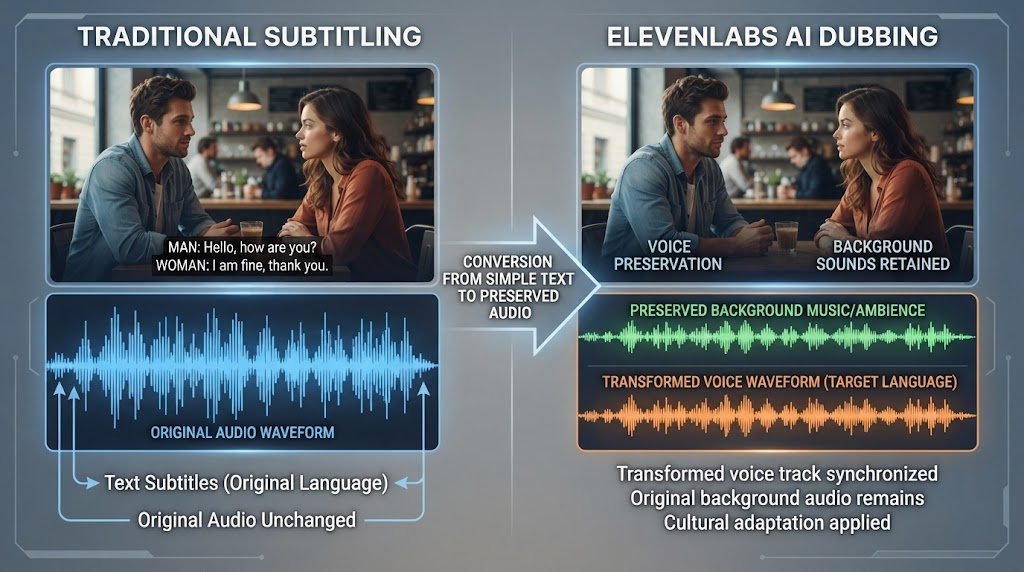
Subtitles are simply words displayed on the screen. The original audio remains the same; you’re just adding translated text below the video. Helpful, but the original language is still being spoken.
With translated audio, the speech is recorded again in a different language and overlaid on the video. This is similar to dubbing, but it usually uses a different voice, so the original speaker’s tone, pacing, and personality may be lost in translation.
ElevenLabs takes a different approach from basic translated audio. It processes the original audio, translates it, and produces a new voice track in the target language while attempting to maintain the tone, pacing, and overall voice characteristics of the original speaker. It can also preserve background sounds such as music, ambient sounds, and sound effects, so the result does not sound like a completely separate recording.
In short: subtitles help viewers follow dialogue without changing the original audio, translated audio replaces the original speech, and ElevenLabs dubbing attempts to keep the original speaker recognizable in a different language.
What You Need Before You Start
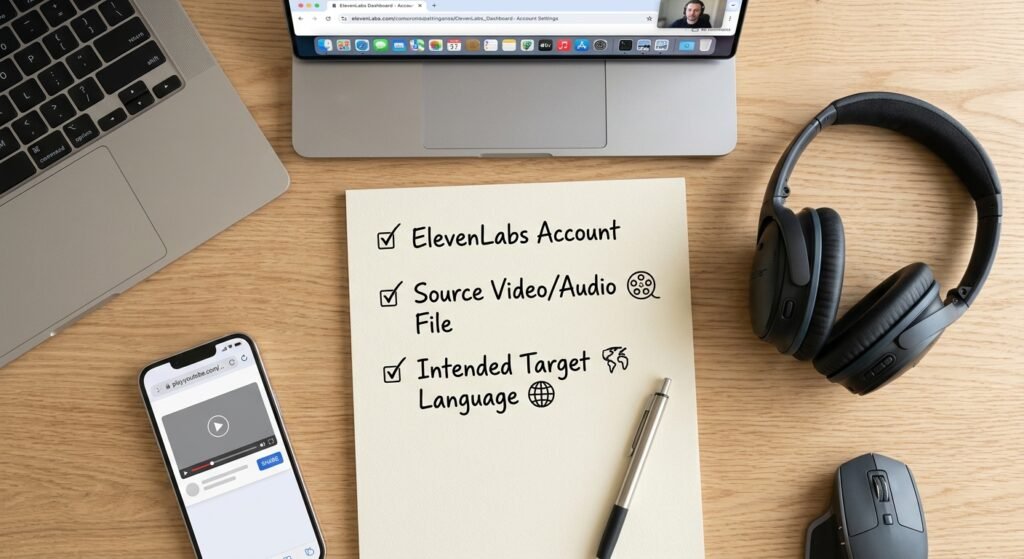
Before you jump in, here is the short checklist:
An ElevenLabs account. You can opt for their free plan to test it out.
The video or audio file you are using as your source. The video or audio file you are using as your source. You can upload the file directly from your device, or share a supported URL from a site like YouTube or TikTok.
An intended destination. Be aware of the language you are dubbing into before you begin as this will affect two choices later.
An understanding of the content you’re dubbing. You don’t have to master the target language, but knowing your own video helps you determine whether the final dub sounds correct.
That’s genuinely it. No complicated setup and no separate software to install.
How to Dub a Video with ElevenLabs
Here’s the real how-to procedure. This is probably the section you’ll want to bookmark.
Step 1: Start ElevenLabs Dubbing
Sign in to your ElevenLabs account and open the Dubbing tab from the main menu. That’s where the dubbing workflow begins.
Step 2: Upload your video or paste a supported URL
Here you have two choices. You can upload your video or audio file directly from your device, or choose the “Paste URL” option and paste a supported video link, such as one from YouTube or TikTok. Use whichever option is easier for your source material.
Step 3: Choose the original language
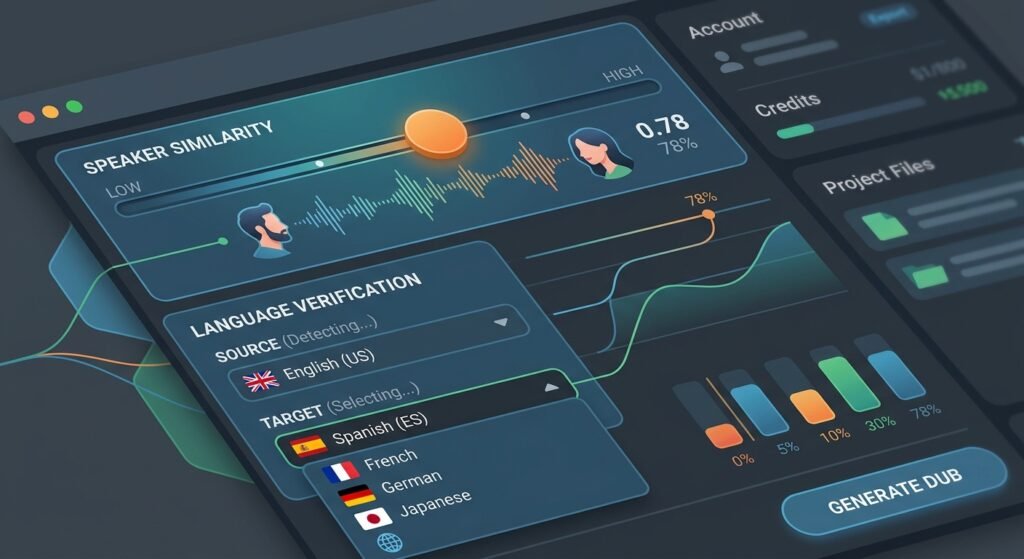
Then, verify the language of the video you’re using. For most videos, ElevenLabs can identify it automatically. However, if your video contains a strong accent, mixed languages, or background noise, it’s a good idea to double-check the detected language.
Step 4: Select the target language for the translation
Select the language (or languages) you want to dub your video into. ElevenLabs supports many languages, and you can create multiple target-language versions from a single source video if you’re aiming to reach several markets.
Step 5: If necessary, adjust speaker similarity
This is a small but useful setting. It controls how closely the dubbed voice matches the original speaker’s voice. For most content, leaving the default setting is a good starting point. A higher setting may make the dub sound more like the original speaker, but it can sometimes produce less natural pronunciation, especially when the target language has very different pronunciation patterns.
Step 6: Generate the dub
After you’ve set everything up, click Generate. ElevenLabs will show you the cost of the request before you confirm, so you know what will be used before processing begins.
Step 7: Listen to and review the dubbed audio
When your dub is complete, play it back and check it carefully. Make sure the translation makes sense in context, the timing works with the video, and nothing sounds obviously out of sync. This step is more important than many beginners expect: AI dubbing can be impressive, but it should not be published without a human review.
Step 8: Download the finished result
Happy with it? Open your “Dubs” list and download the finished file. From there, you can upload it directly or add it to a video editor for any final editing.
That’s the entire process. The current ElevenLabs workflow is essentially this: upload a file or paste a supported URL, select your languages, optionally adjust speaker similarity, generate the dub, review it, and download the result.
How Good Is ElevenLabs Dubbing?
This is what people are really interested in, so here’s a practical answer rather than a sales pitch.
Voice preservation
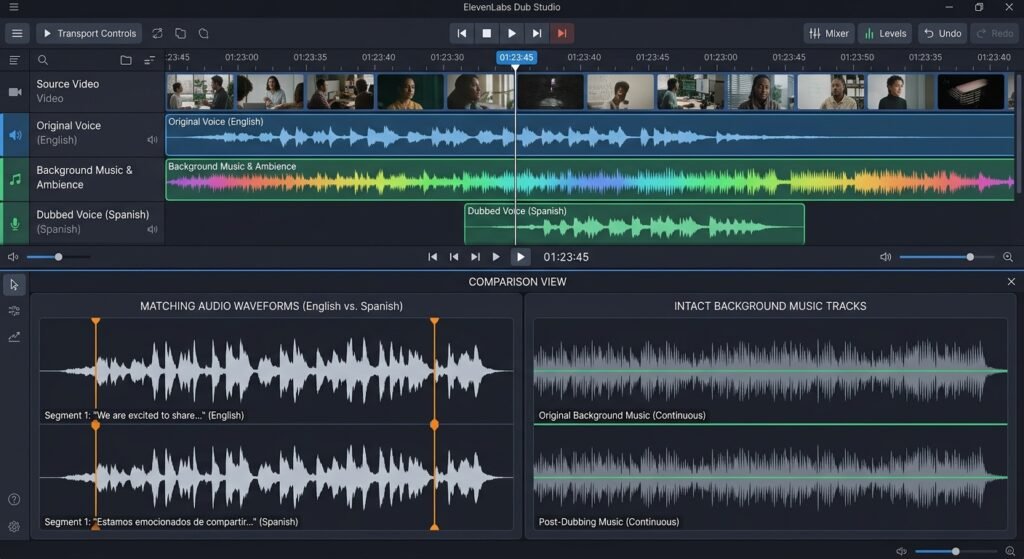
This is where ElevenLabs really shines. It doesn’t simply use a generic AI voice; it attempts to reproduce the original speaker’s voice in the new language. This can work particularly well for single-speaker content such as talking-head videos and tutorials.
Emotion and tone
The tool aims to preserve not only the words but also the emotional delivery of the original. If the speaker sounds passionate in the original, the dubbed version may retain a similar energy; a calm delivery can also remain calm. It’s not perfect, but it can be more natural than basic transcript-based dubbing.
Multiple speakers
This is where it’s important to set realistic expectations. ElevenLabs can identify multiple speakers, even when they speak over one another, but voice cloning may be more effective for the main or dominant speaker. In interviews or panel discussions, secondary voices may sound less personal than the main voice.
Translation quality
The translation is generally context-aware rather than strictly literal. However, like all AI translation, it can sometimes miss cultural nuance, local expressions, or industry-specific jargon. That’s why reviewing your dub in Step 7 is important.
Timing
It is designed to align the new dialogue with the source video’s timing, keeping the pacing natural rather than unnecessarily rushed or extended. It may not be perfectly frame-accurate, but it is designed to avoid obvious audio that leads or falls behind the video.
Background audio
One particularly useful feature is that ElevenLabs can preserve original background audio, including music, ambient noise, and sound effects. This helps the dubbed version retain more of the original atmosphere.
In short, ElevenLabs dubbing has a lot to offer, but it is still AI. Think of the output as a strong first draft that should be checked rather than as a final piece ready to publish without review.
Can You Use ElevenLabs Dubbing for Free?
Yes, but there is a catch.
Dubbing is available on ElevenLabs plans, including the free tier. You can use the available free allowance to test the workflow and see how it works for your content.
The catch is that free-plan outputs include an automated watermark, which cannot be removed on the free tier.
In other words, the free plan can be useful for experimentation, learning the process, and deciding whether ElevenLabs is right for you. If you plan to publish or present professional dubbed videos, however, you’ll need to consider the limitations of the free tier.
What Can You Use ElevenLabs Dubbing For?
There are many practical uses for video dubbing once you get the hang of it. Here are a few common ones:
- Make videos available on YouTube — don’t re-film anything.
- Tutorials — convert one how-to video into multiple language versions.
- Online courses — extend a course in multiple languages, without having to re-record each lesson.
- Freelance video projects — provide dubbing service to people who have video content that needs to be localized.
- Podcasts – expand a voice-first show to new language markets.
- Social media videos — adapt content for audiences in different regions and languages.
- Educational content — make learning materials more accessible to people who speak different languages.
- Global content localization — adapt existing videos for international audiences without creating every version from scratch.
These are practical ways to learn and apply a useful digital skill. Dubbing can become a service you offer to clients, a way to expand your own content, or simply a useful skill to add to your AI toolkit.
Common Problems Beginners May Face
Even the best tools have a few limitations and common pitfalls, and AI dubbing is no exception.
Translation is awkward at times.Sometimes a sentence may be grammatically correct but still sound awkward or too literal. This is common with AI translation, and content containing humor, idioms, or marketing language may need a second pass before publication.
Speaker similarity isn’t quite right If the dub doesn’t sound similar enough to the original speaker, try adjusting the speaker similarity setting from Step 5 and generating the dub again. Keep in mind that very high settings can sometimes create their own pronunciation quirks, so higher isn’t always better.
Pronunciation problems Names, brand terms, and technical jargon may be mispronounced, especially when the target language has very different pronunciation patterns from the original language. Pay particular attention to these details during your review.
Background audio issues Background audio usually sounds good, although content with many overlapping sounds or complex audio layers may not sound as clean as simpler source audio.
Wrong language selection One common beginner mistake is choosing the wrong source or target language, especially when regional dialects are involved. Double-check your selections before generating the dub so you don’t waste time or credits.
Expectations about lip-sync This is an important limitation: ElevenLabs dubbing does not currently provide lip-sync for the speaker’s on-screen mouth movements. The translated audio is timed to the video’s pacing, but the visible lip movements are not re-synchronized to the new language. This is usually less noticeable in tutorials and talking-head videos, but it matters more in dramatic close-ups where precise lip movement is important.
ElevenLabs Dubbing vs Traditional Dubbing
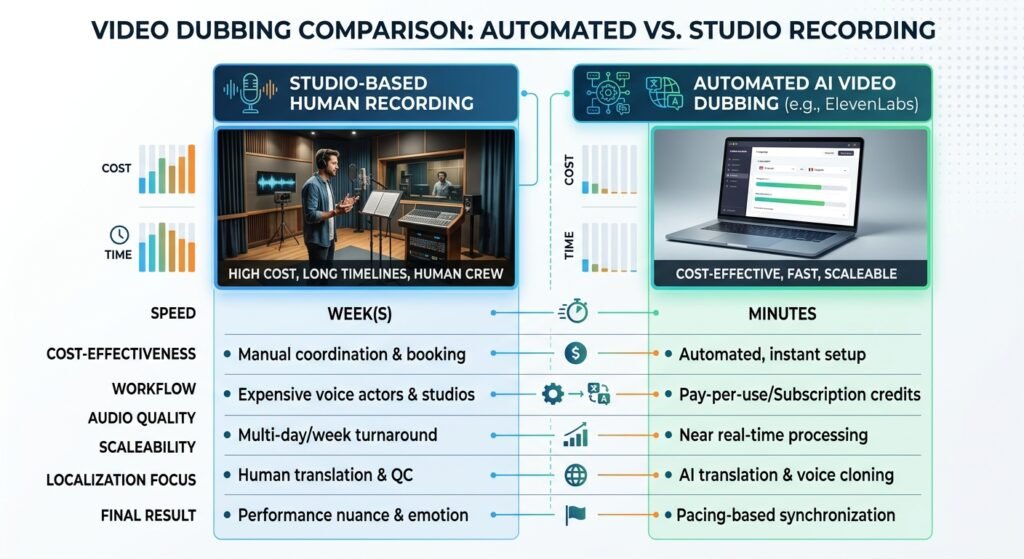
For a clearer perspective, here is a simple side-by-side comparison:
| Traditional Dubbing | ElevenLabs |
| Human voice actors | AI-generated voices |
| More expensive | Lower entry cost |
| Longer production process | Much faster |
| Manual recording | Automated workflow |
| Human translation and review | AI-assisted translation |
It’s fair to say that this isn’t a universal statement about which option is “better.” Traditional dubbing still has real advantages, especially when you need human nuance, performance, emotional range, and strict quality control for high-budget films, TV, or other performance-heavy projects.
The key strengths of ElevenLabs are its speed, ease of use, and lower barrier to entry. It makes dubbing more accessible to people and projects that may not have had the budget or time for traditional studio work. Rather than thinking of AI as simply replacing traditional dubbing, think of it as making dubbing accessible to a much wider group of creators.
Is ElevenLabs Dubbing Worth Learning for Beginners?
Yes. It can be a surprisingly useful skill for beginners.
Content creators — Localize a single video for multiple language markets without the production cost of traditional localization.
Freelancers — Offer video localization as a service to businesses that need content adapted for different markets. You don’t need to own a studio or maintain a team of voice artists to get started with AI dubbing.
Students — Gain hands-on experience with AI tools, video production, and digital media while learning how these tools work in real-world projects.
Educators — Make course content more accessible to students who do not speak the language used in the original lectures.
Small businesses — Adapt product videos, ads, and explainer videos for international customers without the cost of a full traditional dubbing production.
In all these cases, ElevenLabs makes a once time-consuming and costly process more accessible. That’s the kind of practical digital skill that can be useful for your own content, freelance work, or future projects.
For beginners, the best way to learn this tool is to open ElevenLabs, import a short video, dub it using the workflow above, and review the result yourself. This article can guide you through the process, but a few minutes of hands-on practice will teach you more than simply reading about it.
FAQs
Q1: What is ElevenLabs Dubbing?
Answer: It is an AI-powered tool that translates video or audio files into different languages while attempting to clone and preserve the original speaker’s voice, tone, and background audio.
Q2: Can I use ElevenLabs to dub YouTube or TikTok videos directly?
Answer: Yes, you can paste a supported video URL directly from platforms like YouTube or TikTok into ElevenLabs without needing to download and upload a file first.
Q3: Does ElevenLabs dubbing support lip-syncing?
Answer: No, ElevenLabs currently synchronizes the audio pacing to match the video, but it does not alter or re-align the speaker’s on-screen lip movements.
Q4: Is ElevenLabs dubbing free to use?
Answer: Yes, dubbing is available on all plans including the free tier, though free plan outputs include an automated watermark that cannot be removed.
Q5: How do I remove the watermark from my ElevenLabs dub?
Answer: You must upgrade from the free plan to a paid subscription tier, which removes the automated watermark from generated outputs.
Q6: How many languages does ElevenLabs dubbing support?
Answer: ElevenLabs supports translation and dubbing across dozens of global languages. The exact language availability can change over time, so check the current ElevenLabs language list when planning a project.
Q7: Does ElevenLabs keep my background music and sound effects?
Answer: Yes, one of its key features is isolating and preserving original background audio, ambient noise, and music tracks while replacing the spoken dialogue.
Q8: What file formats can I upload into ElevenLabs for dubbing?
Answer: You can upload common video and audio formats directly from your local device or use a public video URL.
Q9: How can I fix awkward translations or mispronounced words?
Answer: You can review the translated audio before publishing, adjust speaker similarity settings, or use higher tiers with script-editing features to correct text lines.
Q10: What is the speaker similarity setting in ElevenLabs?
Answer: It is a control slider that dictates how closely the AI matches the dubbed voice to the cadence and characteristics of the original speaker.
Q11: Can ElevenLabs handle videos with multiple speakers?
Answer: Yes, it can detect multiple speakers, though voice cloning accuracy is typically strongest for the primary or dominant speaker in the recording.
Q12: How long does it take to dub a video on ElevenLabs?
Answer: The process is fully automated and usually takes only a few minutes depending on the length of the source video file.
Q13: Do I need a voice actor or studio to use ElevenLabs?
Answer: No, the entire workflow is automated through AI, eliminating the need for studio bookings, manual audio syncing, or external voice actors.
Q14: Can I translate one video into multiple languages at the same time?
Answer: Yes, you can select multiple target languages simultaneously during the setup process, though credits are deducted per language chosen.
Q15: What are the best use cases for ElevenLabs video dubbing?
Answer: It is ideal for localizing YouTube channels, online educational courses, podcasts, marketing ads, and social media clips for international audiences.
Final Verdict: Is ElevenLabs Dubbing Worth It?
Ultimately, ElevenLabs dubbing can be a valuable option for creators, freelancers, and businesses that want to reach international audiences without the cost and long timelines of traditional studio recording.
- Why it shines: It automates much of a previously tedious workflow, with voice preservation, tone matching, and background-audio retention that can make localization faster and more accessible.
- What to keep in mind: Because it is an AI tool, it still needs human review for awkward phrasing, dialect differences, technical terms, and other errors. It also does not currently provide lip-sync for the speaker’s on-screen mouth movements.
The Bottom Line: If you want to scale your content, tutorials, or podcasts globally without a large dubbing budget, ElevenLabs can be a useful skill to learn. The best way to understand it is to test a short video yourself and experience the workflow firsthand.