

Introduction
The ways we work, create, and solve problems are entirely altered by Artificial Intelligence (AI) tools such as ChatGPT, Claude and Midjourney. Just easier than ever to write a marketing plan, generate code or create art. But, there are many people that dive in without knowing how these tools work. AI isn’t a mind reader. It can only work with the instructions you provide. If your prompt is unclear, the output will usually be unclear as well. In this guide, you will learn about these pitfalls and how to avoid them.
1. Treating AI Like a Human Search Engine
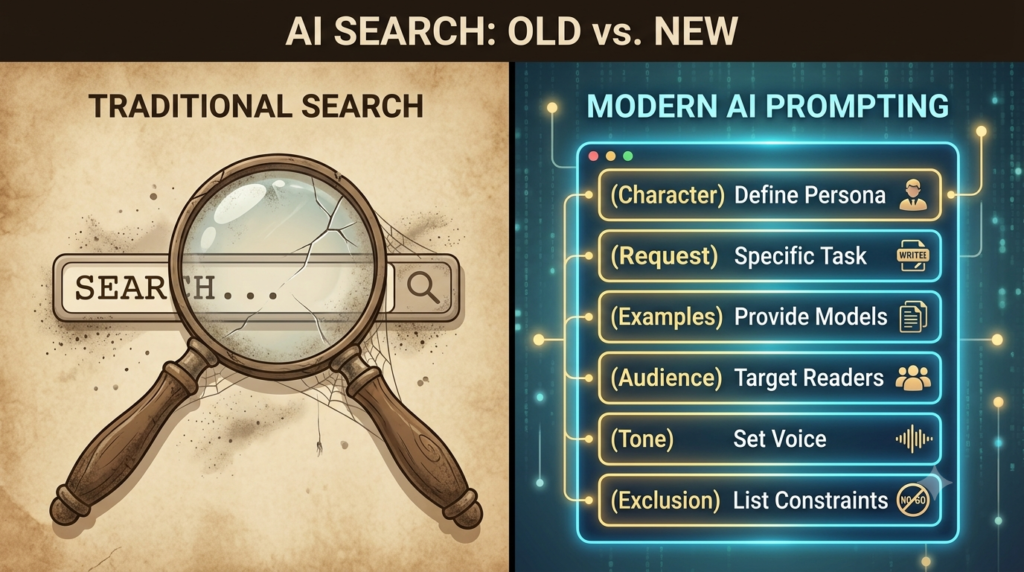
The common error newbies are making is using AI as Google. They enter general questions into the prompt box. For instance, “Write a marketing plan”. Write a business e-mail.
Why It Fails: Traditional search engines search the current web pages and matches the keywords. Based on patterns in the information it was trained on, AI guesses the logical word. When you give a prompt, AI has to guess your intent, audience, industry and tone.
How to Fix It: Use the CREATE Prompting Framework:
C. Character (Role): Provide AI with a description of its character.
R. Request (Task): Make statements that are asking for work.
E. Examples: Give a model of the style or format you wish.
Audience: Identify who is the target audience for the output.
T – Tone: the voice definition.
E. Exclusion (Constraints): Tell it what not to do.
2. Trusting blindly everything the AI generates.
The second mistake is believing everything AI generates.
Many new users believe that the output by AI is true and correct. They copy directly from generated text, without checking.
Why It Fails: AI models look at the odds that words aren’t substantiated. Sounding lies are lies that are invented by AI, when it does not know the answer.
How to Fix It: Trust but verify: Check and confirm important data
- Fact-Check important figures, dates and names.
- Prompt for Sources Upfront: Use a tool that has web-browsing capabilities and ask it to give you URLs.

3. Not considering Tone, Voice and Audience Constraints
Newcomers tend to use the default writing voice of the AI. AI writing without a choice is dry and stiff.
Why It Fails: Without guidance AI pulls from its training data resulting in text, with fluff and clichés.
How to Fix It: Provide AI with Voice and Style Guide:
Include Sentence Variety: Set the AI to create sentences that are of a medium length.
Ask it to write for a grade level: Explain Readability Levels.

4. Giving Up After the first Prompt
Some beginners try a single prompt, receive an unsatisfactory answer, and conclude that the tool is not useful.
Why It Fails: AI generation is a process that happens in an incremental fashion. The ideal output, requires a conversation.
How to Fix It: Learn how to use Chaining and Iteration.
Divide work into steps.
Continue by providing follow-up prompts to guide and develop the response.

5. Ignoring Privacy, Security, and Data Policies
Learners copy and pasted data to public AI chat windows.
Why It Fails: Sharing sensitive information with an AI service can create privacy and security risks, especially when you don’t understand how that service handles your data.
How to Fix It: Make sure to safeguard data assets:
De-Identify Your Data: Remove real names, company names.
Turn Off Training Settings: Avoid data training.

6. Not Using System Prompts Effectively
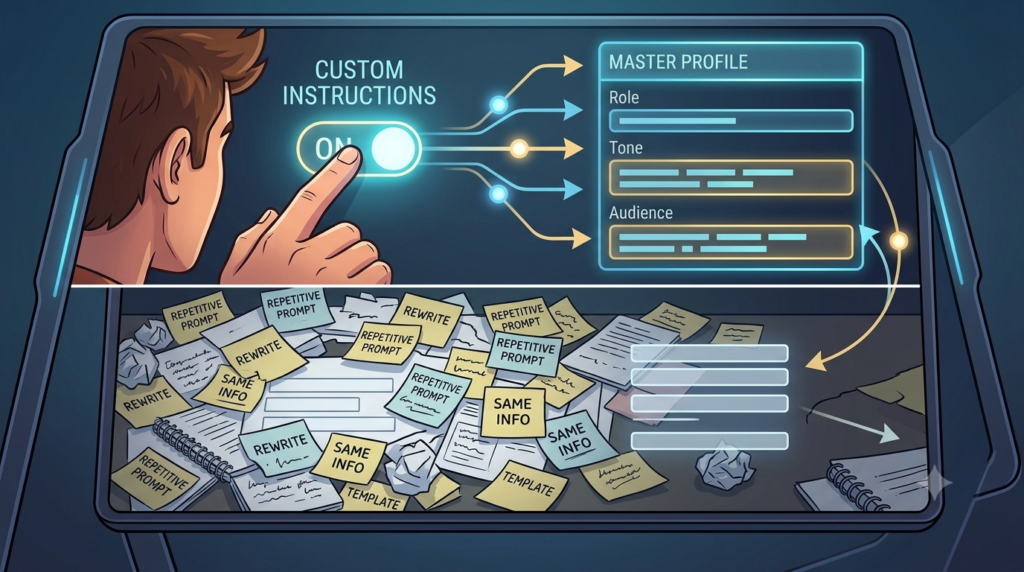
The background information and rules are retyped manually by beginners.
Why It Fails: This wastes time. It produces inconsistent results. Set Up Global Custom Instructions:
Specify data blocks to be used for all chats.
7. Requesting Too Much at Once
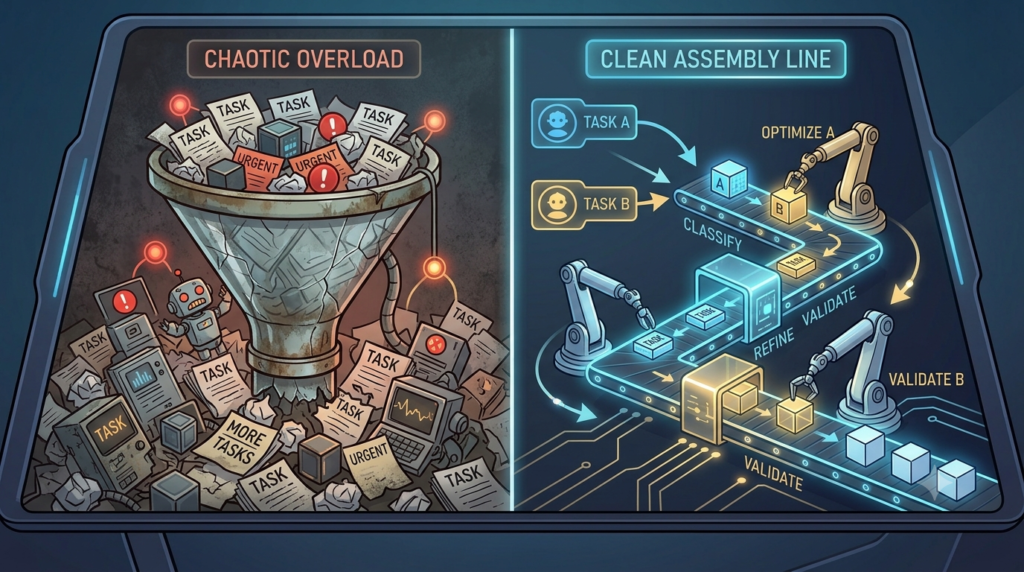
If you are a beginner, you will couple several tasks into a single prompt.
Why It Fails: There are limitations on AI processing and attention. To get results break down your prompts and provide clear instructions.
How to Fix It: Make Prompts Simple and Clear. Do tasks sequentially. Divide your project into steps. Get the AI to finish Task A. So, if you are totally satisfied with the outcome of Task A, ask it to proceed with Task B.
8. Not Specifying the Output Format
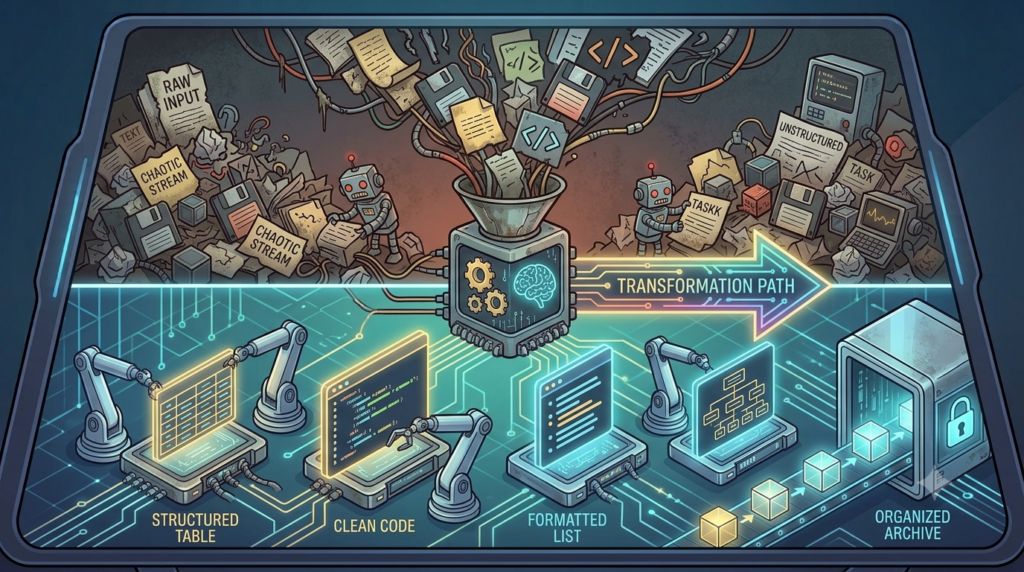
People are often unaware of how they want information or data presented when asking for it. They allow the AI to format the text.
Why It Fails: The AI may provide dense paragraphs. If you want to compare and analyze data, it’s inefficient and frustrating to read through a ton of text.
How to Fix It: Tell the AI exactly how you want the output formatted. Create tables with headers using markdown. Lists of numbers ordered in priority. Code blocks (JSON, Python, HTML). Key terms in bullet points.
9. Ignoring the “Context Window” Limits
Beginners have a chat thread going for weeks, just pasting one document after another. They prompt the AI to recall things that were talked about many hundreds of prompts back.
Why It Fails: AI tools have limits on how much conversation or information they can process at once. In a very long conversation, earlier details may become less accessible or may not be considered in the same way.
How to Fix It: If you detect a problem with the thread, start a fresh one in the same place every time to keep it in place. Avoid using a chat window to work. Create a discussion about each project or task. If you must transfer information from a thread copy the most important points into the first prompt of the new threads as context.

10. Failing to Ask the AI to Ask Questions
People think that it’s a one-way street when they are prompted. Their belief is that the human needs to get everything right the first time.
Why It Fails: Not all the information that can be used by the AI might be known. The AI won’t let you know if you leave a variable out. It will simply make assumptions. A better approach is to ask the AI to identify missing information before generating the final answer.
How to Fix It: At the end of your prompt tell the AI to ask you questions. Include the following sentence with your prompts: If you require more context / clarification to produce the best result, please ask questions prior to generate the final output.
Summary: A Checklist for AI Success
In this summary, you’ll find the key points of the article. This is a Checklist for AI Success.
To ensure you use AI effectively keep this checklist handy:
| Mistake | Easy Fix |
| Vague prompts | Use a structured prompting framework |
| Blind trust | Verify important facts |
| Generic writing | Specify tone and audience |
| Giving up early | Refine your prompts |
| Sharing private data | Remove sensitive information |
| Repeating instructions | Use Custom Instructions |
| Too many tasks | Break tasks into smaller steps |
| Poor formatting | Request tables, bullets, or Markdown |
| Long conversations | Start a fresh chat when needed |
| Missing context | Ask the AI to ask clarifying questions |

Conclusion
AI tools can be quite the force. There is no point in them unless the human using them is. These are some of the common pitfalls to steer clear of when using AI to safeguard your data and create genuine content.
The key to learning AI is to continue experimenting. Use the above strategies to try reworking a prompt and how much better the results become.
FAQs
1. What is the most common mistake beginners make with AI?
Answer: Expecting AI to be 100% accurate right out of the box. Beginners often trust outputs blindly without verifying facts, leading to errors or “hallucinations.”
2. How do I stop an AI from generating fake information?
Answer: Provide clear, detailed context in your prompts, use strict constraints (e.g., “only use the provided text”), and always cross-check critical data with trusted sources.
3. Is bad data a major problem for AI beginners?
Answer: Yes, If you train a model or prompt an AI using low-quality, biased, or unorganized data, the results will be equally poor (“garbage in, garbage out”).
4. Why does my AI prompt keep giving vague answers?
Answer: Your prompt is likely too broad. To get specific answers, use clear formatting, state the exact role you want the AI to play, and specify the desired output length or tone.
5. Do beginners need to learn coding to use AI?
Answer: No. Many powerful AI tools use natural everyday language (prompt engineering) or no-code interfaces, though basic coding helps if you want to build custom applications.
6. What is the “black box” problem in AI?
Answer: It refers to not knowing how an AI reached a specific conclusion. Beginners often use AI decisions blindly without understanding the underlying logic.
7. How do I avoid privacy issues when using public AI tools?
Answer: Never upload sensitive personal information, proprietary company data, or private code into public, free AI tools, as they may use your data for training.
8. Why are my AI-generated images or text looking repetitive?
Answer: Over-reliance on default settings or generic prompts. Vary your descriptions, adjust “creativity” settings (like temperature), and give the AI unique constraints.
9. What is overfitting in AI, and how do beginners commit it?
Answer: Overfitting happens when you train an AI too perfectly on a small set of data, making it great at repeating that specific data but terrible at handling new, real-world information.
10. How can beginners keep up with rapid AI changes without burning out?
Answer: Focus on mastering foundational concepts (like data literacy and core prompting techniques) rather than trying to learn every new app that launches.
Call-to-Action (CTA)
Your turn to build. AI is a powerful tool for freelancers and beginners alike, but only if you use it correctly. Steer clear of these traps and start creating with confidence today. We want to hear from you! What AI mistakes did you make when starting out, and how did you fix them? Leave a comment with your suggestions below!