
1. Introduction
Have you ever wanted to build your own app but felt coding was too difficult? You’re not alone. For years, creating software required learning technologies and programming languages such as HTML, CSS, JavaScript, or Python. Today, AI tools like ChatGPT have changed that. While you still need curiosity and a willingness to learn, ChatGPT can help you write, explain, debug, and improve code—even if you’re just starting your coding journey.

Fortunately, things have changed. With AI tools like ChatGPT, building simple apps has become much easier—even if you’ve never written code before. Don’t need to learn a large amount of code to get something that works. It only takes an idea and some assistance. This guide can assist you with converting your ideas into functional applications that you can operate in your web browser.
2. Is It Really Possible? A Realistic Look
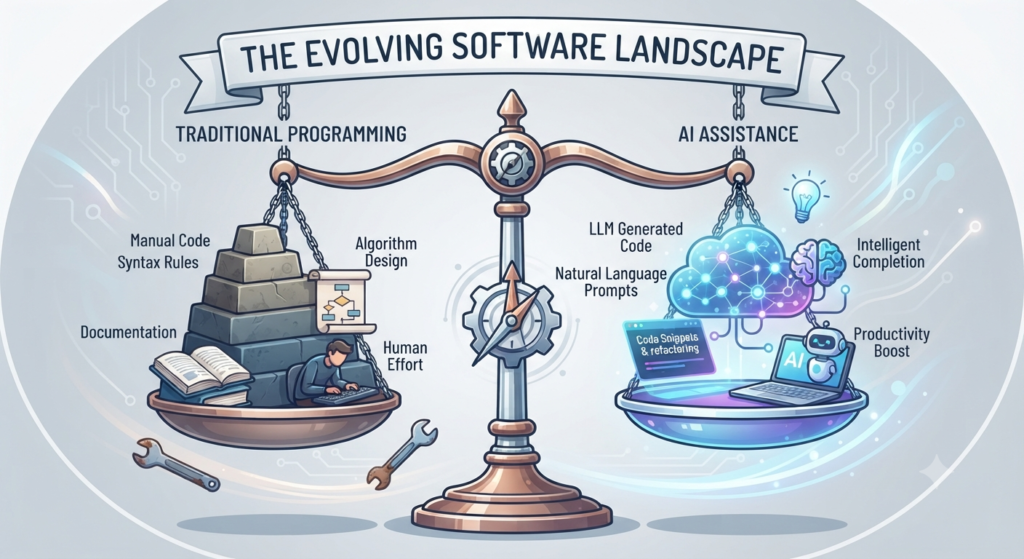
Let’s be honest: Let’s be realistic: ChatGPT cannot automatically build and maintain a complex application without your involvement. However, it can be a valuable coding partner that helps you write, explain, debug, and improve code. But it’s an effective instrument that can be very beneficial for you. Imagine that you have a patient and skilled helper to help you with your code. Can produce code fix error(s). Provide explanations for challenging concepts that are understandable. The intention for build apps with AI is to help fill the divide between the idea and making it happen, not to replace human effort.
3. Must-Have Tools to Start Your Coding Journey
There’s no need to invest a lot for the beginning. Use these three basic instruments to keep things:

- A Text Editor – Use Visual Studio Code. It is user friendly, simple to use and ideal for novices.
- Your AI Partner: Use ChatGPT to brainstorm, explain, generate, and debug code.
- A Simple Workflow: Organise your projects in a folder on your desktop. When you’re starting to write code, staying organized is crucial.
4. Coding Prompt – The Art of Mastering a Coding Prompt
Think of ChatGPT as your coding partner rather than a search engine. The more specific your prompt is, the better the code you’ll receive.
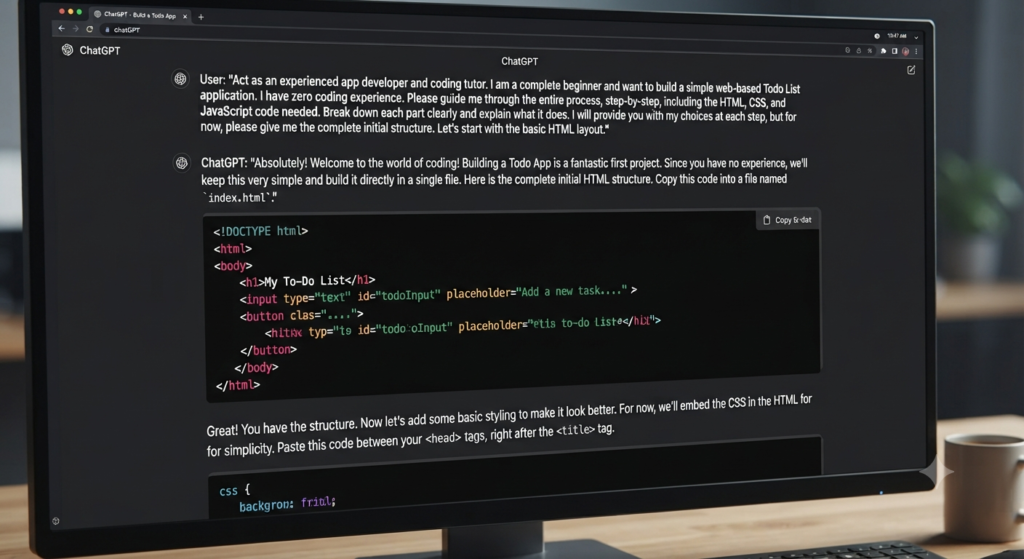
Goal + Role + Requirements + Output Format = Success
Ask: “Act as a web developer. Create a Pomodoro timer with HTML, CSS and JavaScript. Store it all in one file, so I can run it in my browser.
5. Building Your Mini-App
Looking forward to seeing it in action? Let’s try to use a To-Do list application.
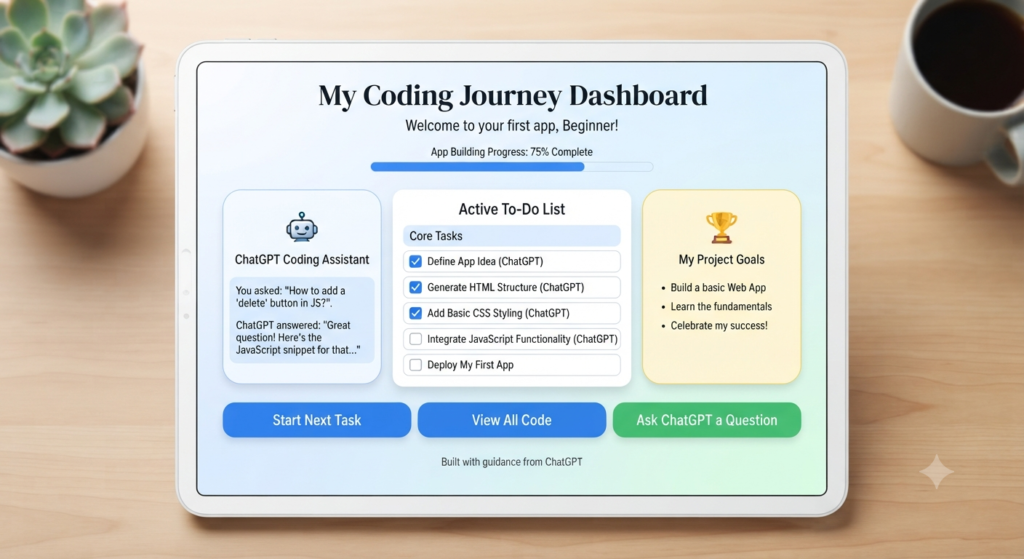
1. Generate Your Prompt: Use ChatGPT to create the HTML and JavaScript code for a mobile-friendly list.
2. The Setup: Copy the code to a VS Code file named index.html.
3. The Reveal: Open the index.html file in your web browser to test the app.
4. Improve: Do you see something that you don’t like? Tell the AI to adjust the style (Change the background to a soft blue, and add a shadow to the buttons”). This back-and-forth process is where real learning happens.
6. Troubleshooting Common Coding Errors

Every developer, no matter how experienced deals with bugs. Don’t get disheartened if your code does not work. It is in here where the real learning occurs. Just copy and paste the error message. Copy and paste it into ChatGPT. Ask the question “I am getting this error; can you tell me what it means and how to correct it? Using AI to debug code can also help you understand why an error happened instead of simply fixing the problem.
7. Skill Up: Improving Your Skills

When you have a few little projects to your credit, Stop relying only on copy-and-paste. Begin to read the code. When the AI generates a solution ask it to “Add comments to this code explaining what each line does.” This turns your project into a mini tutorial and helps you move from simply using AI to actually understanding code.
8. Understanding the Limits
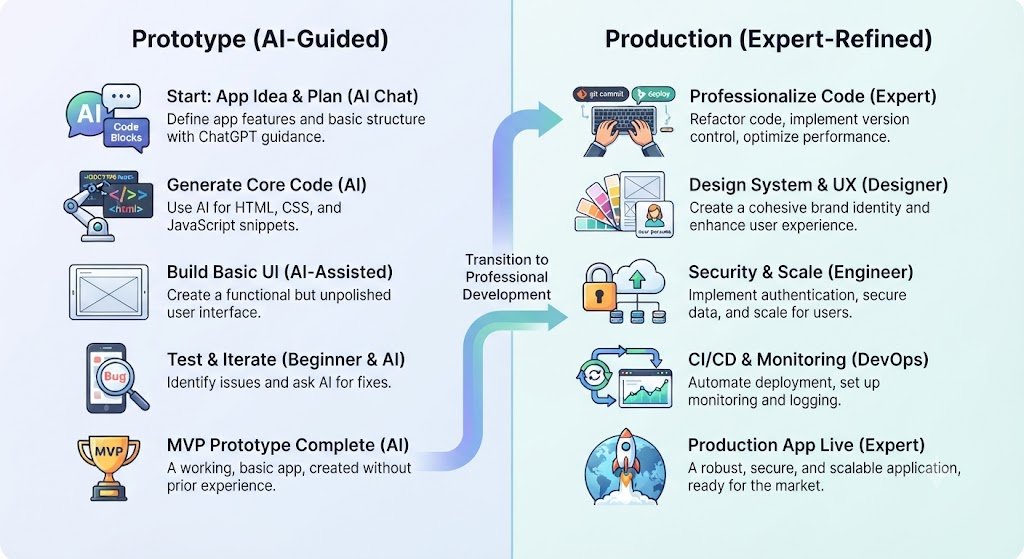
While beginner coding guide is a way to learn be mindful of where AI has limitations. Ideal for applications, tools and prototypes. But for more advanced or secure applications and databases, you will eventually have to resort to official documentation or professional instruction. Use AI to speed up your work, but verify important code and research unfamiliar concepts using reliable documentation.
9. Best Beginner Projects to Build with ChatGPT
The most effective way to become proficient in coding is to begin programming. ChatGPT can assist you in creating some projects, such as a Calculator or a Countdown Timer. These are useful for understanding the code and how to manipulate it to do something.
I would suggest you begin with something such as a Calculator or a Countdown Timer to gain an understanding on how to input and output information. If that’s the case, a To-Do List or a Password Generator would be something you could try to practice with information.
For those who wish to experiment with something larger, you can create a Weather App or an Expense Tracker to see how to retrieve information that is not in your code.
These projects are designed to be worked on sequentially, using ChatGPT, to improve your coding skills and not simply copy. You are building up your coding skills, and it’s like building a muscle. This will help you make your unique coding projects from scratch, with ChatGPT and coding skills.
Disclaimer
AI-generated code should always be tested before using it in real projects. Never share passwords, API keys, or sensitive business information with AI tools.
FAQs
1. Can I really build an app if I have no coding experience?
Answer: Yes. While you won’t become a senior software engineer overnight, AI tools like ChatGPT act as a “coding partner” that can write, debug, and explain the code needed to build functional, simple applications.
2. Is ChatGPT capable of writing entire applications?
Answer: ChatGPT is excellent at building small applications, prototypes, and scripts for large, complex enterprise applications with many moving parts, you will still need to manage the architecture and logic yourself.
3. Do I need to learn a programming language to use ChatGPT for coding?
Answer: Not necessarily to start, but it helps. You don’t need to memorize syntax, but understanding basic concepts like variables and loops will make you much faster at spotting errors and refining your projects.
4. Is the code generated by ChatGPT always correct?
Answer: No. ChatGPT can occasionally generate “hallucinations” or code that contains logical errors. You should always test the code, read it carefully, and be prepared to debug it.
5. How do I start building my first app with ChatGPT?
Answer: Start by defining a clear, small goal. Ask ChatGPT for a step-by-step roadmap, then have it generate code for each component one piece at a time.
6. What are the best tools to use alongside ChatGPT for coding?
Answer: A code editor like Visual Studio Code is essential for saving and running your code. You’ll also need a web browser for testing and a “sandbox” folder on your computer to keep your files organized.
7. What should I do if my ChatGPT-generated code isn’t working?
Answer: Don’t panic! Paste the specific error message you’re seeing directly back into your chat. Ask ChatGPT to explain why the error occurred and how to fix it.
8. Can ChatGPT help me learn to code, or will it make me lazy?
Answer: It’s a double-edged sword. If you just copy and paste, you won’t learn. If you ask ChatGPT to explain what the code does and why it works, it becomes the world’s most patient private tutor.
9. Are there risks to using ChatGPT for coding?
Answer: Yes. Beyond the risk of non-functional code, never paste sensitive data (like passwords, private API keys, or proprietary business data) into any public AI chat.
10. How do I write the “perfect” prompt for coding?
Answer: Use the Goal + Role + Requirements + Output formula. For example: “Act as a web developer. Build a simple login form using HTML and CSS. It should have a cantered layout and a submit button.”
11. Is using ChatGPT for coding considered cheating?
Answer: In a professional or educational context, relying solely on AI to do the work is often discouraged. However, using it to assist your workflow or learn new concepts is widely seen as “AI-assisted development.”
12. Does ChatGPT know the latest coding frameworks and updates?
Answer: ChatGPT knowledge is vast but not always real-time. It may occasionally suggest deprecated (outdated) functions, so it’s always a good idea to cross-reference with official documentation.
13. What is the most important skill for a beginner using AI to code?
Answer: Problem-solving and persistence. The ability to break a big project into small, manageable tasks—and to keep trying when code inevitably breaks—is more important than knowing how to type code from memory.
Conclusion
A happy beginner developer looking at their finished project built with AI.
Software development is more accessible than ever, but success is not just about using AI—it is about curiosity, practice, and learning how to use AI effectively. Every small project you complete builds your confidence. With consistent practice and thoughtful prompts, ChatGPT can become a valuable learning partner on your coding journey.
Call-to-Action (CTA)
Which application do you want to develop first? Leave your suggestion in the comments below! For those new to AI, try our beginner tutorials on prompting, creating images with AI, and getting started with ChatGPT to get a solid foundation in AI.