
1. Introduction
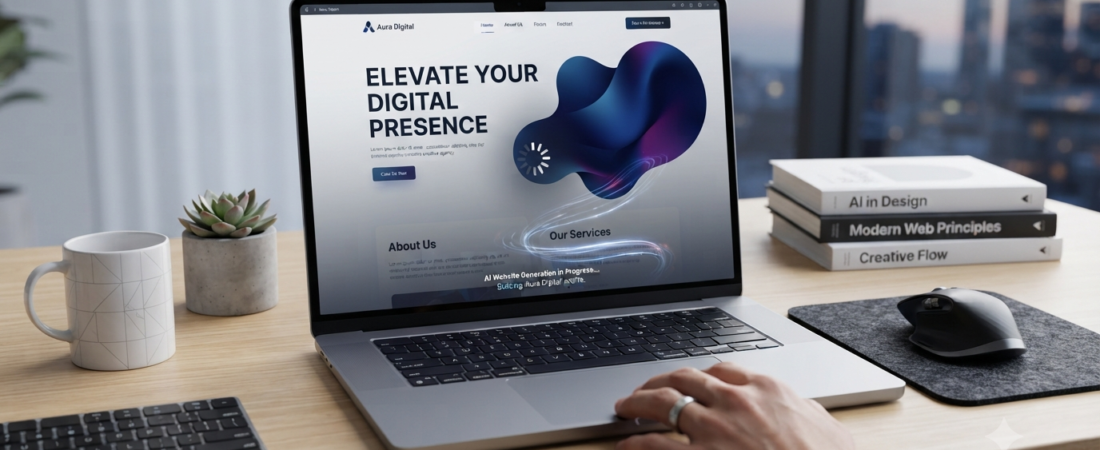
Building a website no longer requires coding skills or hiring a developer. AI website builders can generate a starting website from a short description, helping beginners create pages, write basic content, choose layouts, and make design changes much faster.
Whether you want to start a blog, portfolio, small business website, online store, or freelance website, an AI website builder can give you a useful starting point.
In this guide, we compare five popular options—Wix, Hostinger, Squarespace, Durable, and Framer—and explain what each one is best suited for. We will also look at ease of use, features, pricing, flexibility, and what to consider before choosing one.
2. What Is an AI Website Builder?
An AI website builder is a website creation tool that uses artificial intelligence to help generate a website from your instructions. Instead of starting with a blank page, you can describe your business, project, or personal website and let the AI create an initial design.
The process usually includes five basic steps:
- AI asks questions: You provide information about your website, audience, business, or preferred style.
- AI generates a layout: The builder creates pages, sections, colors, and other design elements based on your instructions.
- AI helps create content: Some builders can generate draft text for headings, descriptions, and other website sections.
- AI helps with images and visuals: Depending on the platform, AI may suggest, generate, or help organize images and other visual elements.
- You edit the result: You remain in control. You can change the text, images, colors, layout, and other parts of the website before publishing.
3. How AI Website Builders Work
Most AI website builders follow a simple process:
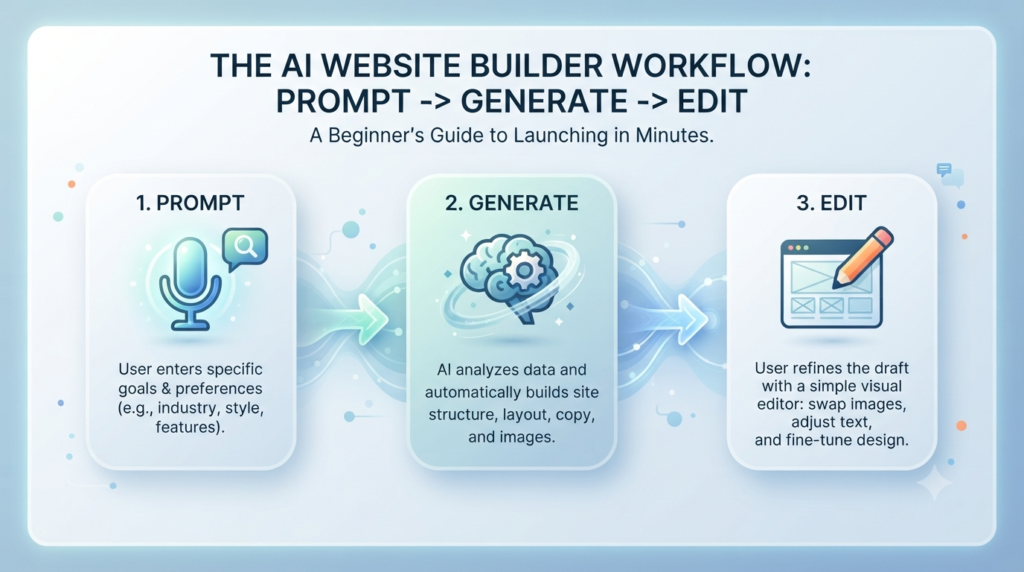
- Describe your website: Tell the builder what type of website you want, who it is for, and what you want visitors to do.
- AI creates a starting version: The platform uses your information to generate a layout, pages, content, and design elements.
- Customize the website: Review the AI-generated result and change the text, images, colors, fonts, and sections to match your needs.
- Connect your domain and publish: When the website is ready, you can connect a custom domain and make it available online, depending on the plan you choose.
The important point is that AI creates a starting point—not a finished website that should be published without review.
4. Benefits of Using an AI Website Builder
AI website builders can be useful for beginners because they reduce some of the technical work involved in creating a website.
- Faster website creation: Instead of building every page from scratch, AI can create an initial structure in a short time.
- No coding required: Most beginner-focused builders provide visual editors, so you can make changes without writing code.
- Lower starting cost: Many platforms offer free plans, trials, or relatively affordable entry-level plans. However, features such as custom domains, ecommerce, and advanced tools may require a paid plan.
- Helpful design guidance: AI can suggest layouts, colors, sections, and content ideas, which can be useful if you are unsure where to start.
- Easy editing: After the AI creates the first version, you can normally change the text, images, sections, and overall design using the platform’s editor.
5. Best AI Website Builders for Beginners
Choosing the right AI website builder can make the process much easier for beginners. Here are five popular options, each suited to different needs:
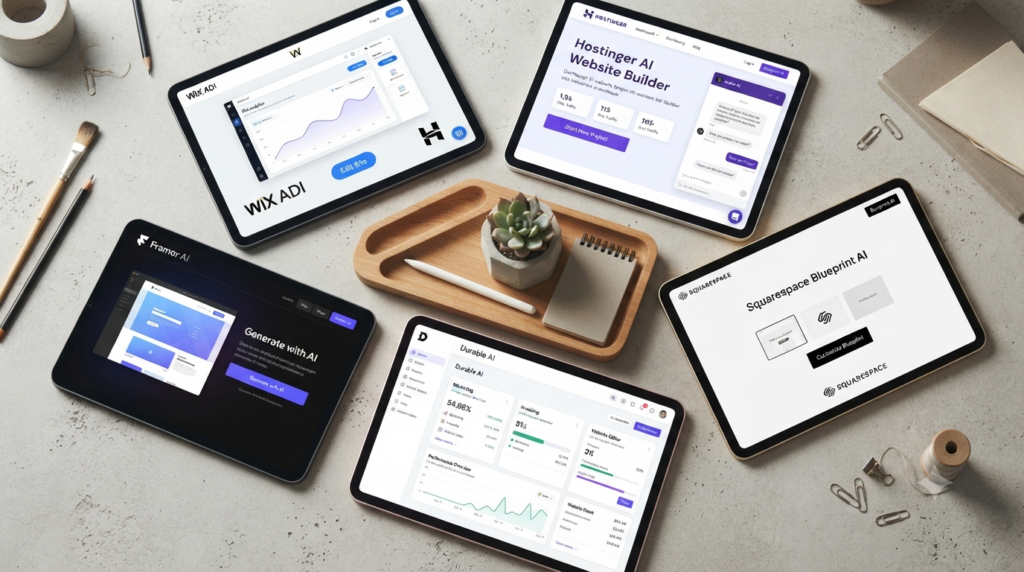
- Wix AI — Best for Flexibility and Growing Websites: Wix combines AI-assisted website creation with a visual drag-and-drop editor. You can start from a prompt or template and then customize the design, content, and business features.
It is a strong option for beginners who want an easy starting point but also expect their website to grow later. Wix also supports features such as ecommerce, bookings, blogs, and other business tools.
Best for: Beginners who want flexibility and room to grow.Wix currently says its AI website builder can create a site from a prompt and then let users refine it with the drag-and-drop editor.
- Hostinger AI Website Builder — Best for Beginners on a Budget: Hostinger’s AI website builder is designed for users who want to create and launch a website without dealing with complicated technical setup. You can describe your idea, generate a starting website, and then edit the design, text, images, and layout. It is particularly attractive to beginners because hosting, website-building tools, and other features can be managed from one platform.
Best for: Beginners who want a simple and budget-friendly way to launch a website. Hostinger currently advertises AI website creation, drag-and-drop editing, hosting, domain options, SEO tools, and ecommerce features on its AI Website Builder plans.
- Squarespace Blueprint AI — Best for Design-Focused Websites: Squarespace’s Blueprint AI Builder helps users create a personalized website by answering questions about their brand, website goals, style, and preferred design direction. It is a good option for beginners who care strongly about visual presentation and want a polished starting design without creating everything manually.
Best for: Creators, portfolios, and users who prioritize design.
Squarespace currently describes Blueprint AI as a guided AI website-building system that creates a personalized starting website from information about the user’s brand and goals.
- Durable — Best for Small Businesses and Service Providers: Durable focuses heavily on small businesses and service-based websites. Its AI website builder can generate a complete website after you provide basic information about your business. Beyond website creation, Durable also offers business-focused features such as customer management, forms, bookings, and other tools depending on the plan.
Best for: Freelancers, service providers, and small businesses that want a website quickly.
Durable currently says its AI builder can generate a website after answering a few business questions and provides an editor plus business-focused tools.
- Framer — Best for Modern Design and Creative Websites: Framer combines AI-assisted website creation with a visual design environment. Its AI tools can generate editable pages and sections, while users can continue refining the design manually.
It is particularly interesting for designers and users who want more control over modern layouts, interactions, and visual presentation.
Best for: Designers, portfolios, and modern creative websites.
Framer currently positions its AI tools toward creating editable pages, sections, copy, visuals, responsive layouts, and design components.
6. Comparison Table
| AI Website Builder | Best For | Free Option | Ease of Use | Main Strength |
| Wix AI | Growing websites & businesses | Yes | High | Flexibility and business features |
| Hostinger AI | Beginners & budget projects | Limited/plan dependent | Very High | Simple setup and value |
| Squarespace Blueprint AI | Creators & design-focused sites | Trial/plan dependent | High | Design quality |
| Durable | Small businesses & service providers | Yes | Very High | Fast business website creation |
| Framer | Designers & modern websites | Yes | Moderate | Creative control and modern design |
Plans, features, and pricing can change. Check each provider’s official website before making a purchase.
7. Which AI Website Builder Should You Choose?
The best AI website builder depends on what you are trying to build.
| If you are… | Consider |
| A complete beginner | Hostinger |
| Building a flexible business website | Wix |
| Running a service business | Durable |
| A creator who cares about design | Squarespace |
| A designer or creative professional | Framer |
These are starting recommendations rather than strict rules. Freelancers can also explore other AI tools that may help with their day-to-day work. Before choosing, consider your budget, the features you need today, and how much control you may want as your website grows.
8. How to Choose the Right AI Website Builder
Choosing an AI website builder becomes easier when you focus on what your website actually needs.

- Think about your website type: A portfolio, blog, online store, and service business may need different features. Choose a builder that supports the type of website you plan to create.
- Check the total cost: Do not look only at the advertised starting price. Check whether your plan includes a custom domain, hosting, ecommerce features, storage, email, and other tools you may need.
- Look at editing options: AI can create the first version quickly, but you will probably want to make changes. Make sure the platform gives you enough control over layouts, text, images, and other design elements.
- Check SEO features: Look for basic SEO controls such as page titles, meta descriptions, clean URLs, image alt text, mobile responsiveness, and other tools that help you manage your website’s search visibility.
- Think about future growth: A website that works for you today may not be enough next year. Consider whether you may need a blog, ecommerce, bookings, analytics, integrations, or additional pages later.
- Check migration and ownership: Before committing to a platform, understand what happens if you eventually want to move your website elsewhere. Export and migration options can differ significantly between platforms.
9. Can AI Build a Full Website?
Yes. AI website builders can create much of the initial structure of a website, including pages, layouts, draft content, images, and design elements.
However, AI-generated websites still need human review.
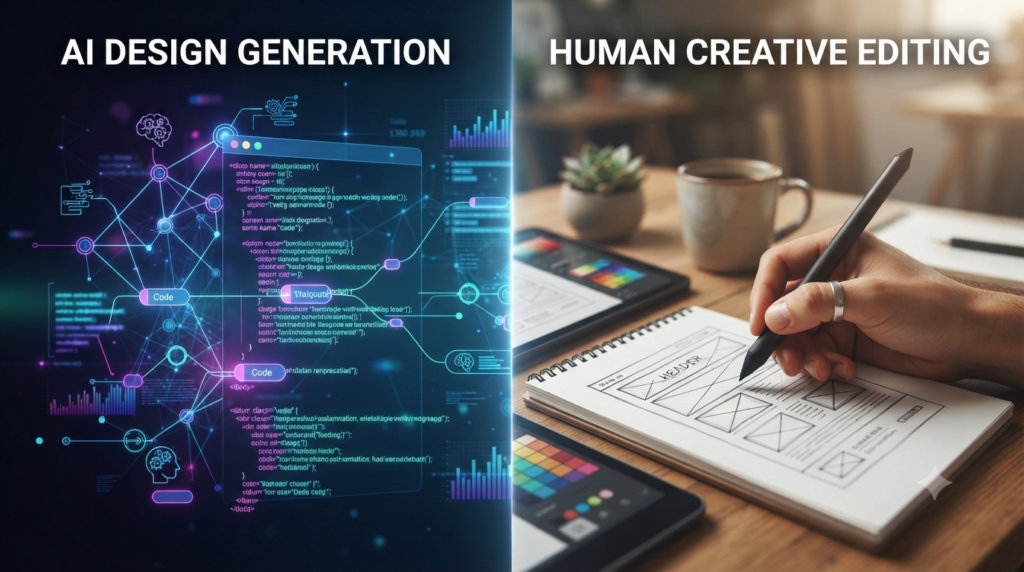
AI may not fully understand your brand, customers, business policies, pricing, or the exact message you want to communicate. You should review the content, replace generic images when appropriate, check every link, test forms and buttons, and make sure the website works well on mobile devices.
AI can save you a lot of time, but it should be treated as a starting point rather than a replacement for human judgment.
For beginners who want more control later, it is also worth considering whether the platform can support additional features or whether moving to another system such as WordPress may eventually make sense.
10. Tips for Creating Your First Website
- Be clear about your goal: Before using an AI builder, decide what you want visitors to do. Do you want them to contact you, book a service, buy something, read your content, or view your portfolio?
- Write a useful first prompt: Give the AI enough information about your business, audience, services, style, and desired pages. A specific prompt usually gives you a better starting point than a very general request.
- Prioritize mobile users: Always check how your website looks on a phone. Menus, buttons, images, tables, and forms should be easy to use on smaller screens.
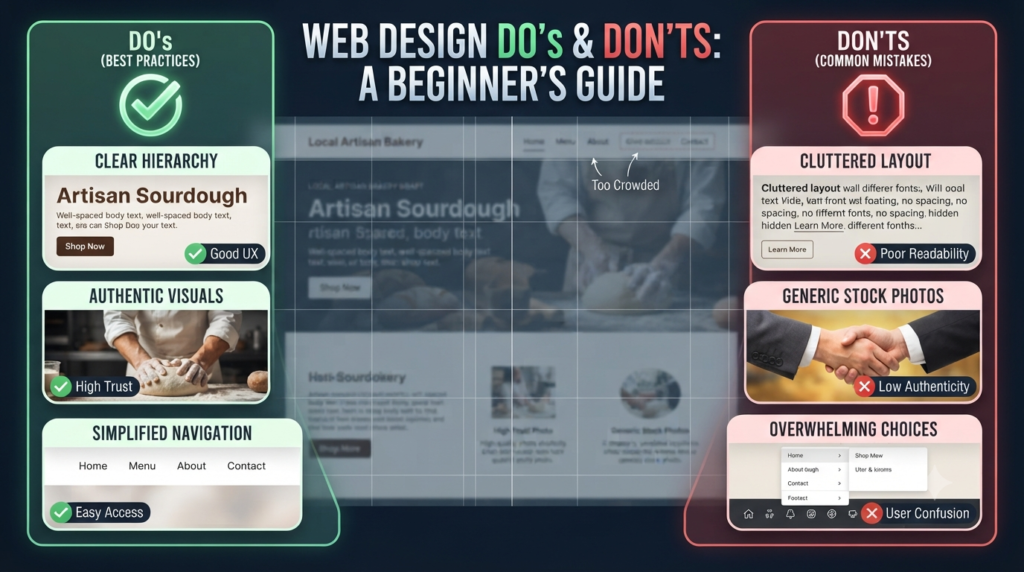
- Keep the design simple: Avoid adding unnecessary animations, sections, colors, or widgets. A clean website is often easier for visitors to understand.
- Keep your branding consistent: Use a consistent logo, color palette, fonts, and writing style throughout the website.
- Review everything before publishing: Read the AI-generated text carefully. Check names, prices, contact information, links, images, forms, and other important details before your website goes live.
11. Common AI Website Builder Mistakes
- Publishing AI content without reviewing it: AI can make mistakes or produce generic information. Always review and personalize the content.
- Using generic images everywhere: Replace unsuitable stock or AI-generated images with visuals that actually represent your business or project.
- Ignoring SEO basics: Complete important SEO fields such as page titles, meta descriptions, URLs, and image alt text where appropriate.
- Forgetting the Contact page: If visitors need to contact you, make your contact information easy to find.
- Not testing the website: Check your website on both desktop and mobile. Test menus, buttons, forms, links, checkout pages, and other important functions before publishing.
- Choosing a platform only because it is cheap: The cheapest option is not always the best long-term choice. Think about the features and flexibility you may need as your website grows.
Beginner Tip
Don’t spend days trying to find the perfect website builder. Choose a platform that matches your current needs, build the first version, and improve it as you learn.
Your first website does not have to be perfect. It needs to be useful, clear, mobile-friendly, and easy for visitors to navigate.
FAQs
1. Do I own the website I build with an AI tool?
Answer: Ownership depends on the platform and the type of content involved. You generally retain rights to content you create yourself, but the platform’s terms determine how your website, generated content, templates, and other materials can be used. Always check the provider’s current terms before publishing important commercial content.
2. Can AI website builders handle e-commerce and payments?
Answer: Many AI website builders support ecommerce, but the available features depend on the platform and plan. Basic stores may be easy to create, while businesses with complex checkout, inventory, shipping, or other requirements may need more specialized ecommerce tools.
3. How do I make my AI-generated site look unique?
Answer: AI usually creates a starting design rather than a finished brand identity. Replace generic images, customize the colors and fonts, rewrite important content, and make sure the website reflects your actual business or personal style.
4. Will an AI-built website hurt my SEO?
Answer: An AI-built website does not automatically hurt SEO. What matters is the quality and technical setup of the finished website. Check page titles, descriptions, URLs, mobile usability, performance, internal links, image alt text, and the quality of the content. An AI-generated website still needs proper SEO work.
5. What if I need more features later?
Answer: Most major website builders offer ways to add pages and features as your website grows, but the available options vary. Before choosing a platform, check whether it supports the blog, bookings, ecommerce, integrations, or other features you may need later.
6. Are AI websites mobile-responsive?
Answer: Most modern website builders are designed to create responsive websites, but you should still test your finished site on phones and tablets. Check menus, buttons, images, text size, forms, and page spacing before publishing.
7. How specific should my initial prompt be?
Answer: Be specific about the type of website, target audience, pages, features, visual style, and desired result. For example, instead of saying “Create a coffee shop website,” you could ask for a modern coffee shop website with a menu, reservation option, location information, warm colors, and a mobile-friendly layout.
8. Does AI know about accessibility standards?
Answer: Not always. AI can help create accessible design elements, but you should still check important accessibility issues yourself. Pay attention to color contrast, readable text, descriptive image alt text, keyboard navigation, headings, and other accessibility requirements.
9. Can I change the website layout after it’s generated?
Answer: Yes, in most AI website builders you can continue editing the website after its initial generation. The amount of control varies by platform, so check the editor before choosing a builder.
10. How long does it actually take to get a site live?
Answer: The initial AI-generated website can be created very quickly, sometimes within minutes. However, the time needed to publish a useful website depends on how much customization, content editing, testing, domain setup, and other work is required.
11. Do I need coding skills to use these?
Answer: No coding skills are usually required. Most beginner-focused AI website builders provide visual editors that let you create and customize a website without writing code.
12. Are these sites good for Google search rankings?
Answer: An AI website builder can provide SEO tools and a technically usable starting point, but using an AI builder does not guarantee Google rankings. Search visibility also depends on content quality, technical SEO, competition, links, user experience, and many other factors.
13. Can I switch platforms later?
Answer: You may be able to move some content to another platform, but a complete migration can involve manual work. Before choosing a builder, check what content and data can be exported and what may need to be rebuilt.

Final Verdict
There is no single best AI website builder for everyone.
Hostinger is a strong choice for beginners who want a straightforward and budget-conscious way to get online. Wix is better suited to users who want flexibility and a wider range of business features. Squarespace stands out for design-focused websites, while Durable is particularly useful for small businesses and service providers. Framer is worth considering if modern design and creative control are your priorities.
Before choosing, compare the features that matter most to you, including pricing, custom domains, SEO controls, ecommerce, storage, integrations, editing flexibility, and future growth.
The best platform is the one that fits your current needs without creating unnecessary limitations later.
Call-to-Action
Which AI Website Builder Is Right for You?
Choosing a website builder depends on your goals, budget, and how much control you want over your website.
If you are just getting started, focus on choosing a platform that is easy to use and gives you enough room to grow.
Have you tried an AI website builder? Share your experience or your questions in the comments below.