

Introduction
Imagine having a creative digital assistant that can not only help you find information but also create new content. That’s Generative AI (also known as GenAI). This technology can turn text prompts into essays, images, code, music, and other types of content. It doesn’t simply analyze existing information; generative AI models learn patterns from their training data and use those patterns to generate new content. This technology can reduce the time spent on repetitive tasks for students, freelancers, and other users. It’s not here to replace your talent; it’s a co-pilot that gets the busy work done so you can focus on the big picture.
How does Generative AI work?
You don’t need to be a computer scientist to understand how Generative AI works. You can think of a generative AI model as a system trained on large amounts of data, such as text, images, audio, or code, depending on its purpose.
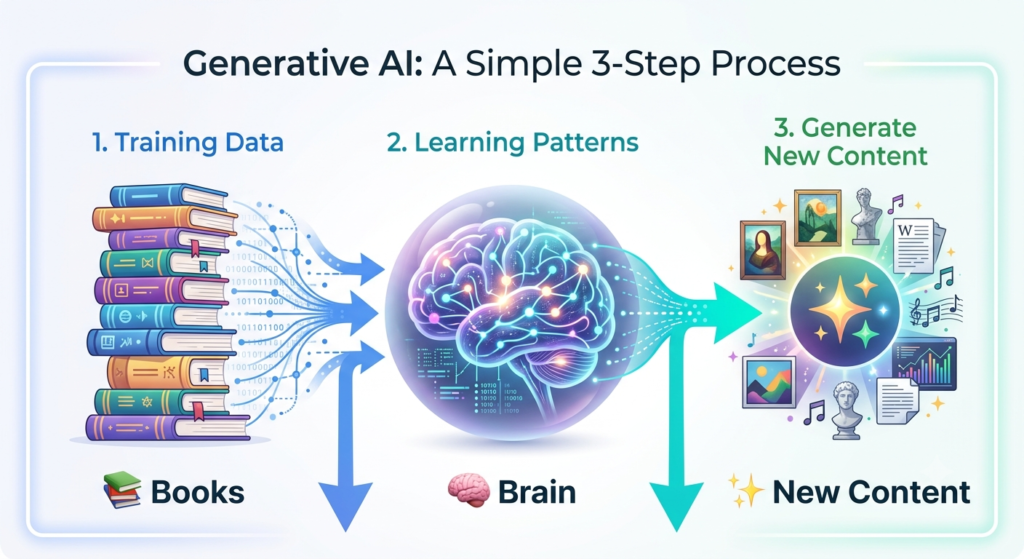
The process happens in three steps:
Training Phase (Step 1): The model is trained using large amounts of data relevant to the type of content it is designed to generate. During training, it learns statistical patterns and relationships within that data.
Learning Phase (Step 2): The model adjusts its internal parameters during training so it can recognize patterns and relationships in the data. It does not simply memorize everything it sees; instead, it learns patterns that can help it generate useful outputs.
Generating Phase (Step 3): When you provide a prompt, the trained model uses what it learned to generate an output. For example, a language model can predict likely sequences of tokens to produce a response. The quality of the result can depend on the model, the prompt, the context provided, and other factors.
The quality of the AI’s response depends on the prompt you provide. Clear and detailed prompts usually produce better results than short or vague instructions.
What’s the difference between Generative AI and traditional AI?
For a moment, let’s compare.
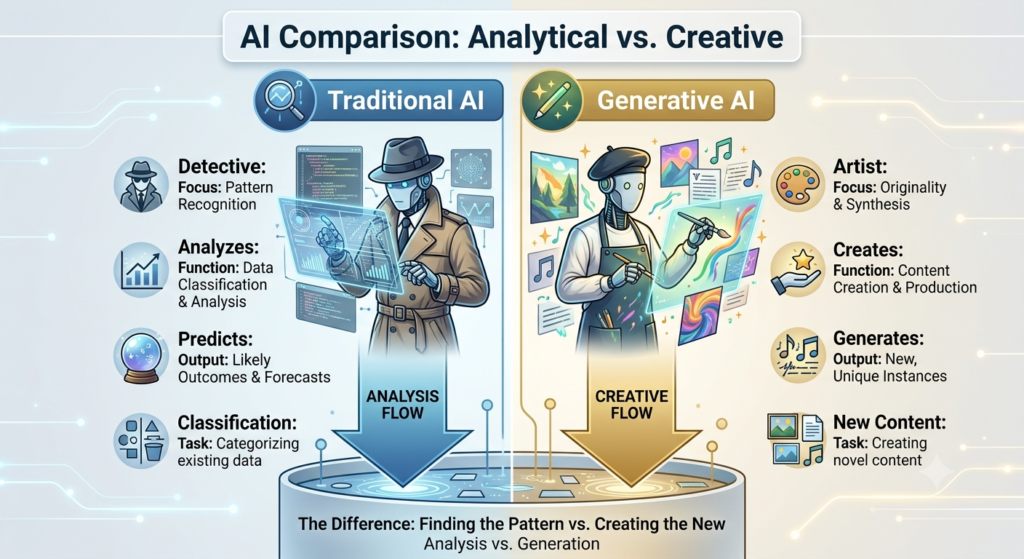
Traditional AI is a detective while Generative AI is like an artist.
| Feature AI | Traditional AI | Generative AI |
| The Role | Detective | Artist |
| The Process | Analyzes existing data and finds patterns | Generates new content based on patterns learned during training |
| The Output | Numbers, classifications, or “yes/no” answers | Essays, images, code, or music |
| Example | Tells you what a cat looks like based on photos | Draws a brand-new cat wearing a spacesuit |
Traditional AI systems can be used for tasks such as classification, prediction, recommendation, or detecting patterns, while generative AI is designed to create new content such as text, images, code, or audio.
What can be created with Generative AI?
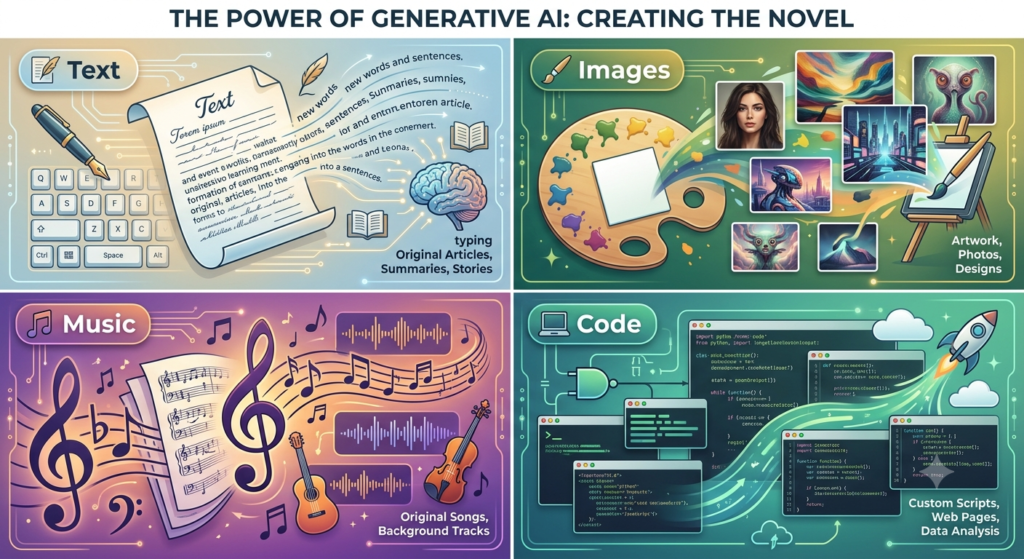
Generative AI can create many types of content. This makes it useful for students, freelancers, marketers, and businesses. It can generate many types of content when given an appropriate prompt, although its capabilities depend on the specific AI model or tool.
- Text & Copywriting: Automatically generates blog posts, essays, emails and coding scripts.
- Visuals & Design: Creates high-quality images, graphics and realistic video clips from a basic description.
- Audio & Video: Creates music scores and realistic voiceovers for videos and/or podcasts.
What are the popular Generative AI tools?
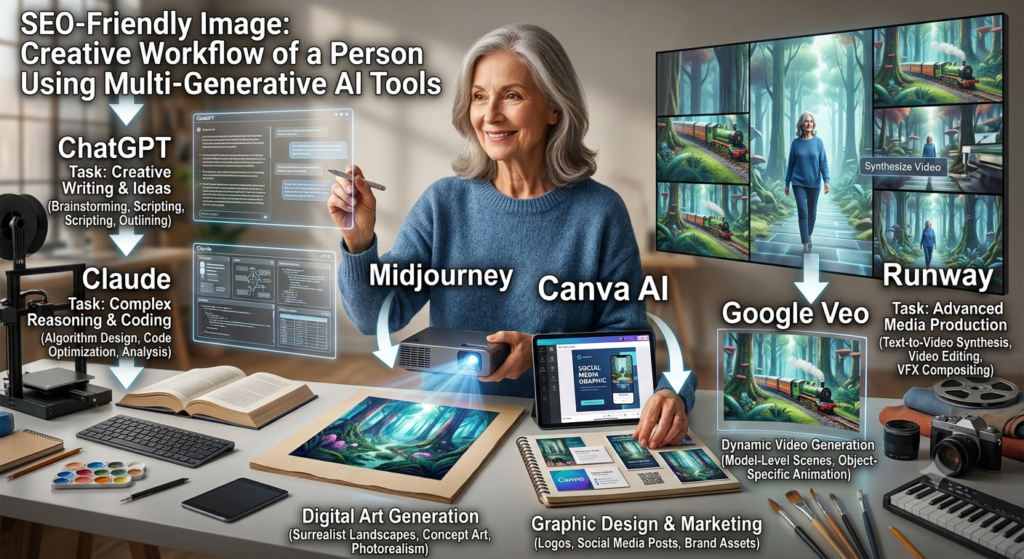
The world of Generative AI can seem overwhelming. but there are some top AI tools that are great for beginners:
- Text and brainstorming: OpenAI’s ChatGPT is the go-to for writing an essay or an email to a client and Anthropic’s Claude is well-regarded for producing high-quality text.
- For Visuals and Design: Midjourney is an AI tool for generating images from prompts. and Canva has added some powerful AI tools that enable novices to create social media graphics and presentations from text.
- For Video Creation: Google’s Veo and Runway are examples of AI video-generation tools that can create video clips from prompts. You can use simple prompts to produce cinematic super-realistic video clips.
The best part? Most of these platforms offer free tiers, making it incredibly easy for beginners to start experimenting and building a portfolio right away.
What are the advantages of using Generative AI?
What is everyone excited about this technology for? It has a number of benefits to offer you:
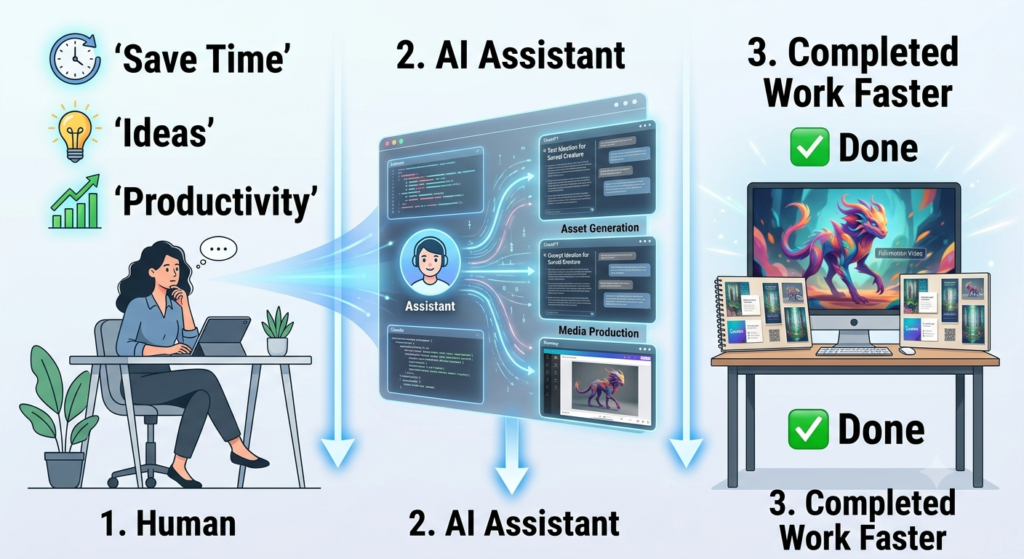
- Saves Massive Amounts of Time: Generative AI can save time by helping with repetitive tasks such as creating rough outlines, summarizing information, and generating initial ideas.
- Eliminates Writer’s Block: No staring at a blank screen! The AI provides you with a starting point or a list of creative ideas to modify, edit and develop.
- Boosts Your Productivity: You can take the stress out of your routine; turn rough notes into a structured presentation or generate social media captions for an entire month in a flash.
What are the drawbacks or dangers of Generative AI?
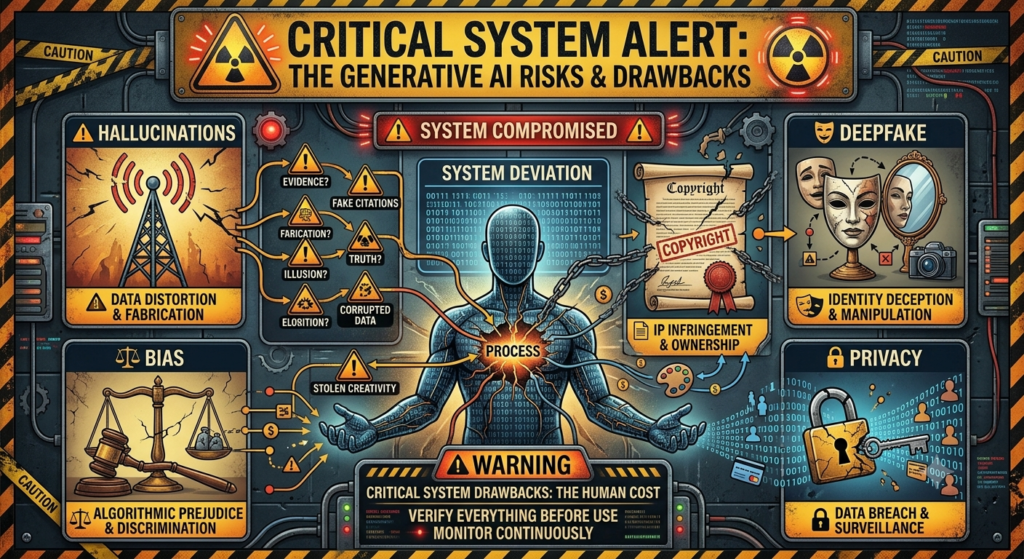
As amazing as Generative AI is it isn’t perfect. If you use it responsibly then you need to know its limitations:
AI Hallucinations: AI models can generate information that sounds convincing but is inaccurate or unsupported. This is often called an AI hallucination. Always verify important information before relying on it.
- Plagiarism and Copyright Issues: AI-generated content can raise copyright and attribution questions, particularly when copyrighted material is involved. Users should understand the rules that apply to the content they create and use.
- Use of Deepfakes: Deepfakes can make it easier for bad actors to create realistic videos, images, or voice recordings of real people and use them for scams or misinformation.
- No Experience, Feelings or Morals: AI does not have human experiences, feelings, or personal values. It can generate convincing responses without actually experiencing the world or understanding situations in the same way humans do.
- Bias and Unfairness: If biases or stereotypes are present in training data or other parts of the AI system, the model can reproduce or amplify them in its outputs.
Is ChatGPT a Generative AI?
Yes ChatGPT is an example of Generative AI. Rather than searching like a search engine it uses sophisticated language patterns to produce brand-new text, code and ideas from scratch based on whatever you type.
Is it possible for beginners to use Generative AI?
Absolutely! Many generative AI tools are designed to be accessible to beginners and do not require coding skills. No coding or technical abilities are required for their use. All you have to do is compose what you’d like in everyday English, then let the AI do the complicated work behind the scenes.
How do I get started with Generative AI?
Ready to dive in? Learning the ropes doesn’t have to be scary; here’s how to get started:
Start with the basics: Try out prompts with free-to-use easy-to-use tools such as ChatGPT or Claude. Practice by giving the AI simple prompts and experimenting with different types of tasks.
Take short introductory courses: Find and enroll in non-technical courses on YouTube or Coursera (e.g. “AI for Everyone”) to get a head start on the concepts without prior coding experience.
Use It for Fun Projects: Practice by applying it in your day-to-day work – such as using it to brainstorm ideas for a school project draft an email to a client or write an outline, for a blog post.
The more you practice using it, the faster you’ll learn how to make it the creative assistant you can use every day.

FAQs
Q.1 Can Generative AI replace human creativity?
Answer: No; Generative AI acts as a powerful tool to enhance and accelerate human creativity, but it lacks the genuine emotion, lived experiences, and true original thought that define human expression.
Q.2 Do I need coding skills to use Generative AI?
Answer: No; most Generative AI tools are designed to understand everyday, natural language, meaning you only need to type plain English prompts to use them.
Q.3 Is Generative AI free to use?
Answer: Many basic Generative AI tools offer free versions, but advanced features, higher usage limits, and commercial-grade models typically require a paid subscription.
Q.4 Is Generative AI safe?
Answer: Yes; it is generally safe to use, but you must avoid sharing sensitive or personal data as public models may use your inputs for training.
Q.5 Which industries use Generative AI?
Answer: Generative AI is widely used across virtually all sectors, most notably in marketing, healthcare, software development, finance, entertainment, and education to automate content, code, and data analysis.
Q.6 Can students benefit from Generative AI?
Answer: Yes; students can significantly benefit from Generative AI as it acts as a personalized 24/7 tutor, helping to break down complex topics, brainstorm essay ideas, and create practice quizzes.
Q.7 Can freelancers earn money using Generative AI?
Answer: Freelancers can use Generative AI to support tasks such as content creation, coding, research, brainstorming, and design. The actual benefit depends on the freelancer’s skills, workflow, and ability to review and improve AI-generated work.
Q.8 What’s the difference between AI, Machine Learning, and Generative AI?
Answer: AI is the broader field of creating systems that can perform tasks associated with human intelligence. Machine Learning (ML) is a subset of AI in which systems learn patterns from data to make predictions or decisions. Generative AI is a category of AI designed to generate new content such as text, images, audio, or code.
Q.9 What are some real-life examples of Generative AI?
Answer: Real-life examples of Generative AI include tools like ChatGPT for writing essays, Midjourney for creating digital art, and GitHub Copilot for auto-completing software code.
Q.10 Which Generative AI tool should beginners start with?
Answer: ChatGPT or Google Gemini can be approachable options for beginners because they offer conversational interfaces and are relatively easy to use. Availability of free features can vary over time.
Call-to-Action (CTA)
Ready to create with AI? Try your first prompt today and see what you can build. If this guide helped you, share it with friends who are beginning their AI journey, and let us know your favorite AI tool in the comments.