
1. Introduction
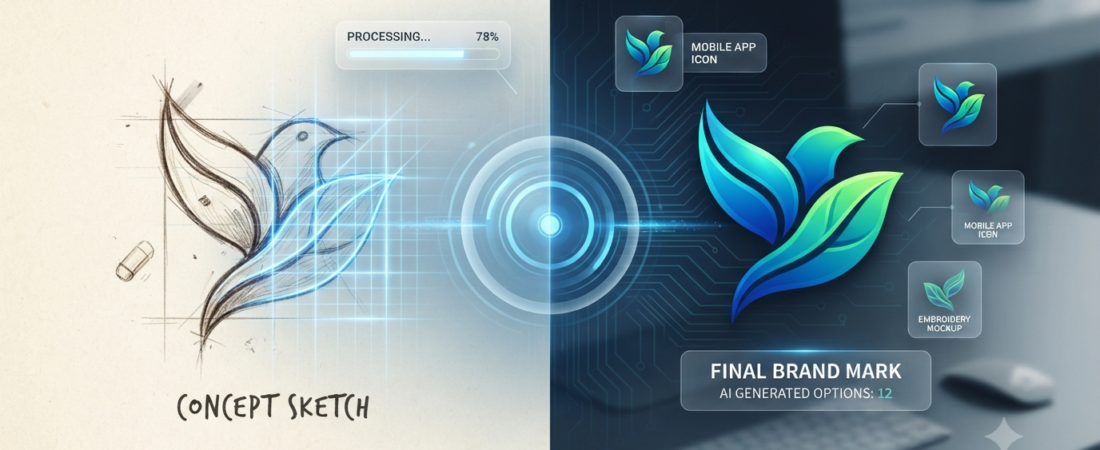
Your logo is often the first thing people notice about your business. Hiring a professional designer can cost hundreds of dollars, while learning design software takes time. Fortunately, AI logo makers allow beginners to create professional-looking logos in minutes without any design experience.
2. What Is an AI Logo Maker?
Instead of starting from a blank canvas, AI automatically generates logo ideas based on your business name, industry, preferred colors, and style. The AI analyzes design principles such as typography, colors, icons, and layouts to generate logo ideas that match your brand. You simply fill in some questions concerning your enterprise and your likes and dislikes. Then you can create a lot of different logos for your project or your side hustle, or your own brand. These logos can often be created in just a few minutes, but the initial results may not always be unique, so beginners should customize the design before using it publicly. AI logo makers are one practical example of how generative AI can create new visual content.
3. How AI Logo Makers Work
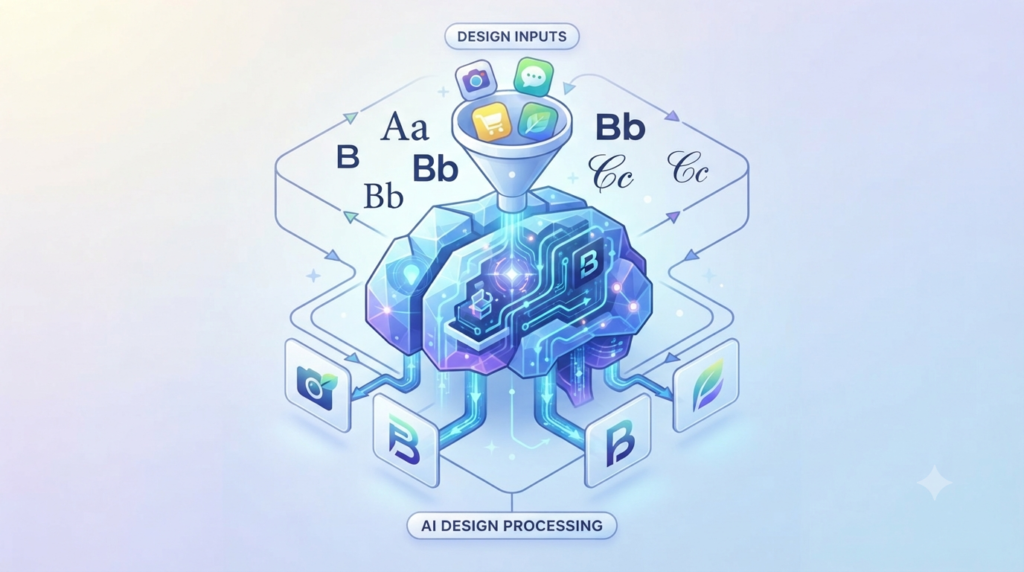
These tools don’t simply paste your text on a template. They mix icons, fonts, and layouts and spacing to create a design that looks well together.
- Typography: Typography simply means choosing fonts that match your brand and are easy to read. It involves selecting appropriate styles, sizes, and hierarchies to make a message visually impactful and memorable.
- Icon Styles: Icon styles refer to the visual aesthetic and treatment of graphical symbols, such as flat, 3D, minimalist, or hand-drawn designs. These styles dictate the overall “look” and help establish a brand’s unique visual identity.
- Spacing: Spacing involves managing the physical distance between letters, words, and graphical components to ensure the logo feels balanced and legible. Proper spacing creates “breathing room,” preventing the design from looking cramped while guiding the viewer’s eye.
- Color Harmony: Color harmony uses established rules, often based on the color wheel, to select combinations that are visually pleasing and balanced. These color schemes help evoke specific emotions and ensure the logo’s palette feels cohesive and professional.
- Layouts: Layouts define the structured arrangement of text, symbols, and shapes to create a cohesive and functional visual identity. This process establishes visual hierarchy and balance, ensuring the logo remains impactful across different sizes and platforms.
4. Why Beginners Should Use AI Logo Makers
It has never been easier, for people who’re new to design to make something that looks professional. There are several reasons why you should consider using an AI logo maker for your logo:
- Zero Design Experience Needed: It is not important to know how to design to create a good-looking logo.
- Speed: Creating a logo can be done in just a few minutes. You don’t need to have to wait a moment for one to make it for you.
- Cost-Effective: AI logo makers are budget-friendly. They’re not very expensive either when compared to professional designers. You can even use some of them for free to try out ideas.
- Creative Inspiration: Another benefit of AI logo maker is that they can suggest ideas. If you do not want to use a designer, then AI logo makers can provide you with some ideas to help you get started.
5. Best AI Logo Makers (Comparison Table)
| Tool Name | Free Plan | Best For | Ease of Use | Export Formats |
| Adobe Express | Generous | Beginners | Simple | PNG/JPG |
| Canva | Basic | General | Intuitive | PNG/JPG/PDF |
| LogoAI | Limited | Branding | Automated | PNG/Vector |
| Design.com | Limited | Speed | Drag-and-drop | PNG/Vector |
6. How to Choose the Right AI Logo Maker
There are some factors to consider while choosing the AI Logo Maker you need. It is necessary to consider the sum of money that you’ll need to spend. When you’re looking for ideas, some platforms are free. The logo is charged for when you wish to download it. On other platforms, you have to pay per month.
It should be capable of making many changes such as changing the words, colours and formatting. It’s a good way to make the logo reflect your own brand identity instead of looking like a generic template.
That’s why it is crucial to examine the types of files you will be able to obtain from the tool. They have to be able to provide high resolution vector graphics (SVG or EPS). If you’re trying to use your logo on things such as favicons, or make it look good on large items such as banners, then you will need these files. Also, you’ll want to review the guidelines for business logo usage. It is important to have a logo that you own, so you can use it in any manner you choose.
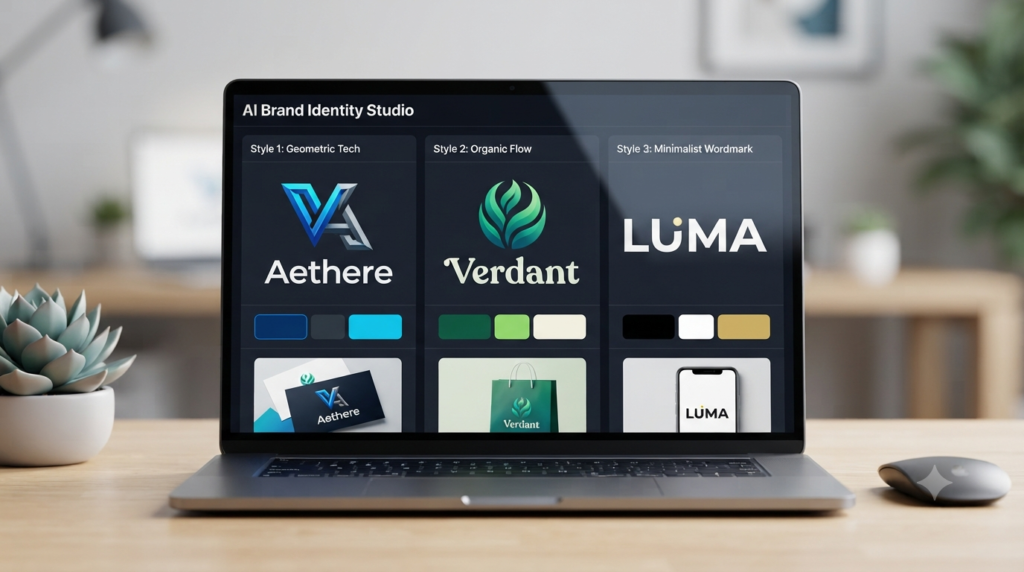
If your business is growing, then it’s worth considering a platform that provides you with an organization’s branding kit. This is a feature that will add your logo, text and colors to such as business cards and social media templates. Last but not least, you should consider the user-friendliness of the platform. The easier it is to use, the more time you will save. You can concentrate on making your logo appear excellent rather than figuring out how to use the tool. You want an AI logo maker that’s easy to use so you can create a great logo for your business, like an AI logo maker that provides you with a lot of options to edit it, or an AI logo maker that offers you high-resolution vector files, and an AI logo maker that is easy to use.
7. Detailed Review of Each Tool
- Adobe Express:
- Biggest Advantage: Offers a seamless blend of AI-powered generation and professional-grade editing tools, allowing you to maintain full creative control over your design. If you also want to explore AI-generated visuals beyond logos, see our beginner guide to AI image generation.
- Limitation: The free plan has more limited generative AI credits compared to the Premium version, which can restrict advanced feature access.
- Pricing: Free (basic features) and Premium (monthly subscription).
- Ideal Beginner: Perfect for those who want a guided AI experience but may eventually want to step into more advanced design customization.
- Canva:
- Biggest Advantage: Extremely intuitive, user-friendly drag-and-drop interface with a massive library of templates that simplifies the design process for non-designers.
- Limitation: Relying on templates can sometimes lead to generic-looking logos, and professional vector files (SVG) are locked behind the Pro subscription.
- Pricing: Free (generous asset library) and Pro (monthly/yearly subscription).
- Ideal Beginner: Best for anyone who needs to quickly create consistent, on-brand graphics for social media and marketing alongside their logo.
- LogoAI:
- Biggest Advantage: Provides a highly professional, cohesive branding package (including business cards and email signatures) that mimics the output of a human designer.
- Limitation: It is less flexible for manual, pixel-perfect editing once you have finalized your initial logo direction.
- Pricing: Free to design; one-time payment required to download high-resolution and vector files.
- Ideal Beginner: Excellent for founders and small business owners who want a professional, ready-to-use brand identity without recurring subscription fees.
- Design.com:
- Biggest Advantage: Features an enormous library of over 400,000 logo templates, ensuring you have nearly endless variations to explore until you find the perfect match.
- Limitation: The platform operates on a subscription-only model for most features, and the vast number of templates can sometimes feel overwhelming for first-time users.
- Pricing: Free (limited) and subscription-based plans (Starter, Value, Premium).
- Ideal Beginner: Ideal for startups or freelancers who need speed and variety, and who prefer a large selection of pre-made templates over building from scratch.
8. Free vs Paid AI Logo Makers
The most AI logo generators offer them for free, but there are some fees associated with using them. You can usually. Try out your logo for free. However, these are the main reasons why it is usually advantageous to pay, even once or, more often, a bit every month:
- High Resolution Files: If you don’t pay then you will typically receive a small version of your logo that is not very clear. When paid for, you’ll receive a very clear version looking professional.
- Vector Formats (SVG/EPS): If you want to use your logo on t-shirts, or signs or something else, you will need these formats to get it to look good.
- Transparent Backgrounds: If you are planning to create a website or video with your logo, you will need a transparent background version of your picture, otherwise known as a PNG with transparent background.
- Commercial Rights: Usage rights vary by platform and plan. Always check the tool’s current licensing terms before using an AI-generated logo commercially or registering it as a trademark.
9. How to Create a Logo in 5 Steps
- Define Your Brand: When creating your logo, consider what your brand is all about. List three words about your brand such as “Minimalist”, “tech blue”.
- Choose the Right Tool: Decide a logo maker that suits you.
- Fill in Your Details: If you type in your business name and type what kind of business you have, be sure to use the correct information. Make sure to proofread and correct spelling errors as they may impact on any of your designs.
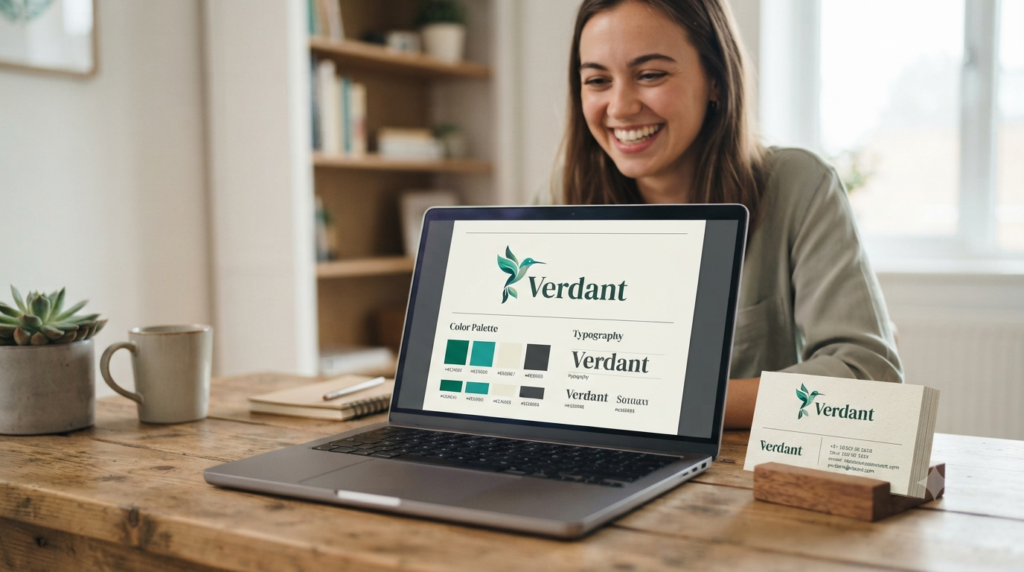
- Refine and Customize: Don’t simply take whatever logo you come across. Using the editor try to alter the fonts, colors and format of your logo until it truly represents your brand.
- Download & Verify: Download your logo files and check their quality and save them securely in your computer or cloud storage.
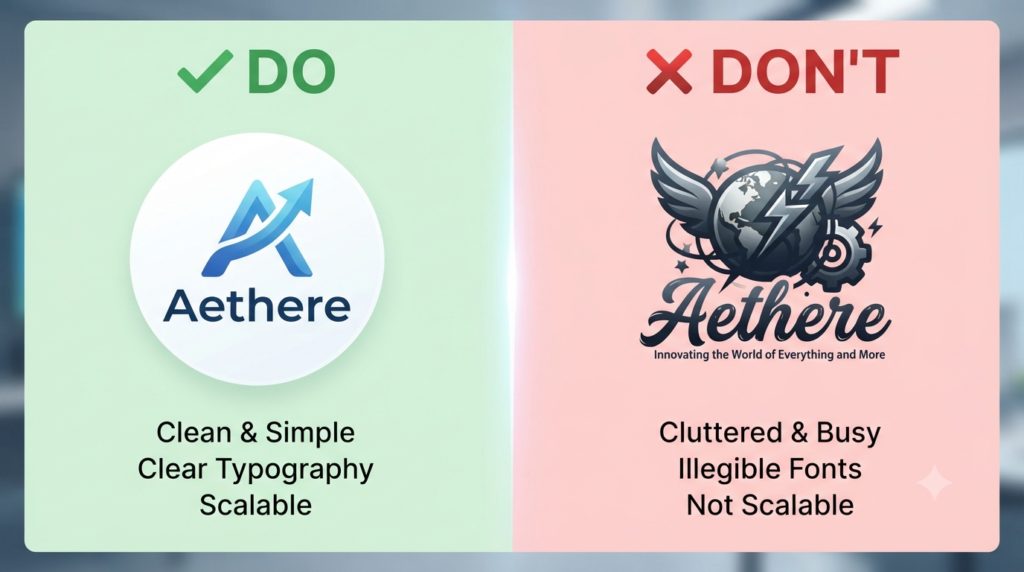
10. Common Mistakes to Avoid
- Being Too Generic: Avoid using the phrase, “make it look professional”. For better results, learn how to write clear AI prompts before generating your logo. Say what you want like “I want a Minimalist tech logo, with shapes”.
- Too many details in the Design: Keep your logo simple. It should be easily identifiable.
- Ignore Scalability: Ensure that your logo scales well to fit a business card and a large banner.
- Don’t over-describe: Your logo doesn’t need to be telling your story. Just go with one concept.
- Skipping the Spellcheck: It may sound self-explanatory. Others will complete their logo with an incorrect spelling, so always double check your logo for misspelled words.
FAQs
1. Can I trademark a logo created by an AI?
Answer: It is complicated. While you can often use the logo commercially, many jurisdictions do not allow you to copyright or trademark AI-generated art because it lacks “human authorship.” Always check the platform’s terms and consult a legal professional if trademarking is critical to your brand.
2. What is the difference between a raster (PNG) and vector (SVG) file?
Answer: A raster file (PNG) is made of pixels and can get blurry when enlarged. A vector file (SVG) is made of mathematical paths, meaning it stays perfectly crisp at any size—which is vital for professional printing on business cards, signs, or merchandise.
3. Will my AI-generated logo look unique?
Answer: It can, but it requires effort. Since many beginners use the same tools and prompts, your initial results might look generic. To make it unique, prioritize manual customization, tweak the colors, swap the icons, and refine the typography rather than using the raw output directly.
4. Do I need a designer if I use an AI logo maker?
Answer: Not necessarily, but it depends on your goals. AI is great for startups, side hustles, and social media branding. However, if you are building a large-scale corporate identity, a human designer can provide strategic brand thinking that AI currently cannot match.
5. How do I choose the right color palette for my logo?
Answer: Think about “color psychology.” Blue often conveys trust, green suggests growth or nature, and red signals energy or passion. Many AI platforms have built-in color palette tools; choose colors that align with the specific emotion you want your customers to feel.
6. Why does my AI logo look “glitchy” or weird?
Answer: This often happens if your prompt is too vague. AI sometimes struggles with fine details or text. If you get a “glitchy” result, try simplifying your prompt, focus on one subject at a time, or look for tools specifically optimized for better typography.
7. What is a “Brand Kit” and do I need one?
Answer: A Brand Kit is a collection of your logo in various formats, along with your chosen fonts and color codes. It’s highly recommended because it ensures your brand looks consistent across your website, social media, and business cards. Many AI tools generate this for you automatically.
8. How can I make my logo look more professional?
Answer: Keep it simple! A professional logo is recognizable, scalable, and readable. Avoid clutter, limit your color palette to 2–3 colors, and ensure the font is legible even when shrunk down to the size of a social media profile picture.
9. Are there free AI logo makers that don’t use watermarks?
Answer: Some platforms offer free or limited watermark-free downloads, but availability and commercial-use terms can vary. Always check the tool’s current download and licensing terms before using the logo for a business.
10. How should I prepare my prompt to get the best logo design?
Answer: Use a descriptive formula: [Logo Type] + [Industry/Subject] + [Artistic Style] + [Color Palette]. For example: “Minimalist icon of an oak tree, line art style, forest green and gold colors, white background”.
Final Verdict
AI logo makers have become powerful and affordable tools for entrepreneurs, students, freelancers, and small businesses. With a little customization, they can help you create a professional logo in minutes without needing graphic design experience. Following the tips mentioned in this guide, particularly those regarding prompts and smart customization could help you create a professional brand that’s just as good as the one produced by a pro. Try things out, but don’t hesitate to adjust their size and dimensions to make the desired appearance, until you get to the desired look for your business. AI logo makers can assist you in creating a logo.
Conclusion
Remember that the best logo is not necessarily the one AI creates first—it’s the one you refine to match your brand. Spend a few extra minutes experimenting with colors, fonts, and layouts, and you’ll end up with a logo that looks far more professional and memorable.
Call-to-Action
Now that you have the tools it’s time to start creating. From beginner students launching a new project to freelance designers creating their portfolios, AI logo makers offer a seamless option for professional branding. What tools will you attempt or have a favourite AI tool that we didn’t mention? Help each other make better brands, with AI logo makers; share your experience and suggestions in the comments.