

1. Introduction
It’s no secret that running a business today can be demanding. From starting a small business to scaling a growing company, or working as an individual entrepreneur, there are never enough hours in the day. You’re busy chasing invoices, managing social media, and maintaining customer relationships—all while trying to grow the business.
This is why incorporating the right AI tools into your everyday workflow is no longer a futuristic idea. For many small businesses, AI is becoming a practical way to handle repetitive tasks and save time. AI software for small businesses has become easier to use, with many tools offering free plans or affordable entry-level options. In this guide, we’ll look at practical AI tools that can help save time, reduce repetitive work, and support everyday business tasks.
2. Quick Comparison Table
| Tool | Best For | Free Option | Paid Plans |
| ChatGPT | General writing and multi-use tasks | Yes | Plus available |
| Google Gemini | Google Workspace integration and AI assistance | Yes | Paid Workspace plans available |
| Canva | Graphic design and visual content | Yes | Pro available |
| Notion AI | Knowledge management and collaboration | Limited/trial AI | Included with eligible paid plans |
| Grammarly | Writing, grammar, and professional communication | Yes | Pro available |
| HubSpot | CRM and customer management | Yes | Paid plans available |
| Zapier | Business automation | Yes | Paid plans available |
| Gamma | Presentations and visual documents | Yes | Paid plans available |
| Fireflies.ai | Meeting notes and transcription | Yes | Paid plans available |
| Copy.ai | Marketing content and workflows | Check current plan | Paid plans available |
Note: The best AI tool depends on your business needs. A local retail shop, freelance designer, and online store may each benefit from different tools. Start with one tool that solves your biggest challenge before expanding your AI toolkit.
3. What Is a Good AI Tool for Small Business?
You don’t want to add random tools to your workflow and see which ones stick without having a clear filter. Not every new AI app is worth paying for. A useful tool for a small business should provide:
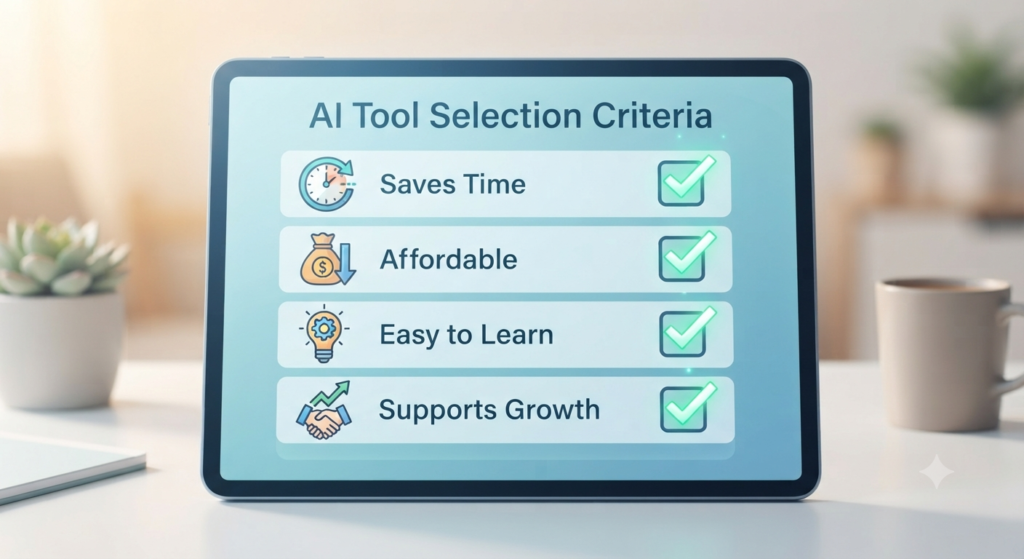
- Saves time: It should be able to save you hours of repetitive execution, so you can concentrate on the broader strategy.
- Budget-friendly: Small businesses should be able to get useful value without taking on unnecessary software costs.
- Easy to learn: You don’t have weeks to go over a training manual; it must be plug and play.
- Works with your existing tools: It needs to seamlessly integrate with your existing tech stack, such as Slack, Gmail, or your accounting software.
- Boosts productivity: It should reduce repetitive work and help you and your team use your time more effectively.
- Helps to scale up your business: Your customer base grows, and so does the system.
4. Selection of these tools
We reviewed a range of popular AI tools and selected options that can address common small-business needs. The tools in this guide are considered based on practical factors such as:
- Ease of use: How fast can a busy business owner get up to speed with the platform?
- Do the core capabilities address operational issues of value?
- Are there a good free plan or a fair paid entry-level plan?
- Reliability and data considerations: Does the tool provide appropriate reliability, security, and privacy information for business use?
- User experience: What do users commonly report about the tool’s ease of use and usefulness?
- Business value: Can the tool help save time, reduce repetitive work, improve efficiency, or support revenue-generating activities?
5. Best AI Tools for Small Businesses

ChatGPT
- Overview: ChatGPT, developed by OpenAI, is a general-purpose AI assistant that can help with writing, brainstorming, coding, analysis, research, and many other business tasks.
- Key features: Depending on the plan and available features, ChatGPT can support data analysis, web-based research, file analysis, and customized instructions.
- Pros: Very versatile; can do almost anything with text.
- Cons: May sound a bit robotic when not provided with clear prompts.
- Best for: When you’re brainstorming, want to use it for multiple purposes, or want to write an initial draft.
- Why small businesses may find it useful: It can act as a writing assistant, research helper, brainstorming partner, and general-purpose productivity tool in one place.
Google Gemini
- Overview: Google Gemini is Google’s AI assistant, with Gemini features integrated into Google products and, on eligible Google Workspace plans, into apps such as Gmail and Docs.
- Strengths: Integration with eligible Google Workspace apps such as Gmail and Docs, making it useful for businesses already working within Google’s ecosystem.
- Pros: No context switching if your business is already using Google products.
- Cons: The experience and available features depend on the Google plan and Workspace setup.
- Best for: Companies that rely heavily on Google Workspace for document management.
- Why small businesses love it: It makes it easy to organize a cluttered inbox, and compose smart, contextually-relevant responses in no time.
Canva Magic Studio
- Overview: This is an all-inclusive design system that includes intelligent features which allow for the creation of professional graphics by any person without prior design experience.
- Magic Design templates, AI text-to-image generator, and instant background remover are the best features.
- Pros: User-friendly interface with a large library of templates and design assets.
- Cons: Some premium content and features require a paid plan.
- Ideal for: Visual assets, flyers and social media graphics.
- Why small businesses may find it useful: It can help business owners create routine social media graphics, flyers, presentations, and other visual materials without advanced design skills.
Notion AI
- Overview: An AI-powered set of features built into Notion’s workspace for tasks such as organizing information, working with documents, and finding answers across company knowledge.
- Advantages: It can help summarize information, answer questions about workspace content, and assist with organizing tasks and knowledge.
- Pros: All company knowledge is in an organized location, searchable.
- Cons: Your team will need to actively use Notion as their workspace.
- Ideal for: Knowledge management and collaboration within teams.
- Why it can help: A well-organized Notion workspace can give team members a central place to find company information and answers.
Grammarly
- Writing Assistant: Checks grammar, spelling, clarity and tone of your writing across your browser, email, and important documents.
- All-in-one real-time tone adjustments, full-sentence rewrites, and custom style guides.
- Advantages: Avoids embarrassing typographical errors in client offers, and external e-mail correspondence.
- Cons: Heavy reliance on automatic suggestions can sometimes make writing feel less personal or consistent with the writer’s natural voice.
- Ideal for: External communication and professional messaging.
- Why small businesses love it: It makes all your messages look as if they are sharp, credible, and polished.
HubSpot AI
- Overview: Intelligent tools integrated directly into the HubSpot CRM system, aimed at making inbound marketing and sales funnels more effective.
- The greatest advantages are predictive lead scoring, automated email sequence generation and landing page content assistants.
- Pros: Very integrated with your live customer base.
- The drawbacks include the rising expense of maintaining a contact list, as the number of contacts grows.
- It’s best for: Sales funnels and customer management.
- Why small businesses may find it useful: Its CRM and AI-powered features can help organize customer information, manage sales pipelines, and support marketing and sales workflows.
Zapier AI
- Overview: Zapier connects many popular web apps and allows businesses to automate repetitive workflows, including workflows that can be configured with natural-language instructions.
- The best thing about it is the Automation builder that works with Natural language (you type the name of apps that you want to connect, and the automation is created for you).
- Pros: Saves hours of clerical time, across disparate software programs.
- Cons: Automated workflows should still be tested and monitored, especially when they involve important business data or multiple steps.
- Ideal for: Back office automation and data synchronisation.
- Why small businesses love it: It works like a tireless digital assistant in the background.
Gamma
- Overview: Gamma is an AI-powered tool for creating presentations, documents, websites, and other visual content from prompts or existing content.
- Instant layout generation, clean theme styling and flexible visual blocks are the best features.
- Pros: Very quick creation; appears much more modern than conventional template slides.
- Cons: There are some limitations in advanced design customizations compared to the legacy tools.
- Ideal for: Pitch decks, client presentations, and team pitches.
- Why it is so popular with small businesses: It takes a rough draft and turns it into a beautiful slide deck within two minutes.
Fireflies.ai
- Overview: An auto-meeting companion which gets into your video conferences (Zoom, Google Meet, Microsoft Teams) and records the conversation and highlights significant action items.
- Capabilities: Auto-generated audio transcripts, meeting summaries and automatic CRM logging.
- Pros: It can automate meeting transcription, summaries, and action-item capture, reducing the need for manual note-taking.
- Cons: Some clients may prefer not to have an AI meeting assistant record or transcribe their conversations, so businesses should consider consent and privacy expectations.
- Ideal for: Taking client calls and strategy sessions.
- Here’s why small businesses adore it: You can focus on your clients 100% rather than frantically taking notes during a meeting.
Copy.ai
- Overview: Copy.ai is an AI platform focused on marketing and go-to-market workflows, including content creation and campaign-related tasks.
- Best features: its best features include brand voice training, multi-channel marketing workflows and bulk copy generation.
- Pros: Useful for generating draft marketing copy and creating multiple variations of content.
- Cons: There is still a need for a fast-human pass to add emotional resonance to the outputs.
- Ideal for: Digital marketing copy and outreach sequences.
- Why small businesses may find it useful: It can reduce the time needed to create and test different versions of marketing copy.
6. Free vs Paid Options
If you’re running a business and you’re seeking ways to save money, you should pay attention to software expenditure. The good news is that many popular AI tools offer free plans or limited free access, allowing small businesses to test them before paying. You can test them out with the help of tools such ChatGPT, Google Gemini, Canva, Notion and Grammarly – each one of these has an AI version.
As your business expands, you’ll eventually need to spend more on features. Free plans often come with limitations such as usage caps, fewer features, limited storage, or restrictions on team collaboration. Paid plans may add higher usage limits, additional features, team collaboration, integrations, and administrative controls. Pricing varies significantly from one tool to another, so check the provider’s current pricing before subscribing. Don’t view these payments as a cost, but as an investment in some tools that will save you time.

7. How Can Small Businesses Use AI?
Artificial Intelligence can be used in nearly all aspects of your business. Some examples of this are:

- Marketing: AI can design ads, write blog posts, and help you make content planning decisions.
- Email writing: AI can draft customer emails, suggest replies, and adjust the tone of business communication.
- Customer support: AI can help answer routine customer questions, provide basic information, and route more complex issues to a human team member.
- Meetings: AI can assist in taking meeting notes and summarize them as actionable lists.
- Social Media: Make posts, schedule posts and provide new ways to use old posts with the help of Artificial Intelligence.
- Bookkeeping: Some AI-powered accounting tools can help categorize expenses, organize receipts, and identify financial information, but important financial records should still be reviewed by a qualified person.
- Presentations: AI can help you compose presentations, investor and training slides in just seconds.
- Brainstorming: Artificial intelligence can help you come up with names for products, ideas for marketing and solutions to problems.
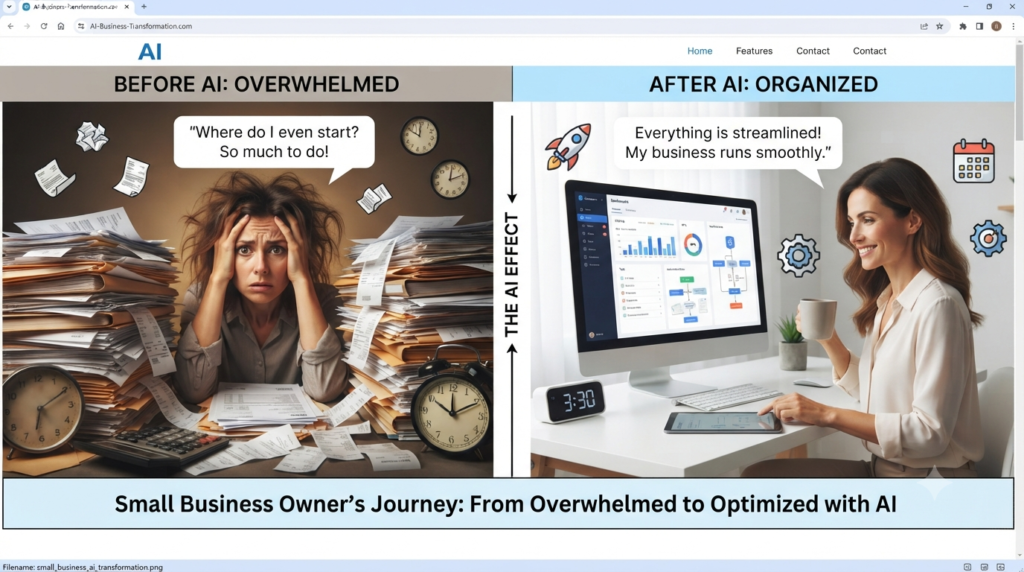
8. Which AI Tool Can Help With Each Business Task?
- Writing ChatGPT “Draft emails, blog posts, product descriptions, and marketing copy in minutes.”
- Social Media—Canva: “Design stunning graphics, social media posts, and marketing assets with drag-and-drop simplicity.”
- Meetings—Fireflies.ai: “Automatically record, transcribe, and summarize your meetings to capture every key action item.”
- CRM—HubSpot: “Manage customer relationships, track sales pipelines, and streamline inbound marketing all in one platform.”
- Presentations—Gamma: “Generate engaging decks, documents, and web pages from simple prompts without any formatting hassle.”
- Automation—Zapier: “Connect your favorite apps and automate repetitive workflows without writing a single line of code.”
- Writing and grammar—Grammarly: “Catch spelling mistakes, refine tone, and polish your writing in real time across any app.”
9. Tips for Using AI in Small Business
- Begin with one problem: Don’t change everything all at once. Choose something that is consuming a lot of your time and apply a tool to resolve it.
- Always have a person check: AI can make mistakes, so review its output before using it for important business decisions or customer communication. Make sure the final content is accurate and matches your company’s voice.
- Save prompts that work well for your business: If you come up with a successful prompt, save it. This will give you the opportunity to use it over and over again. Get consistent results.
- Protect business data: Before entering customer, financial, confidential, or proprietary information into an AI tool, check the provider’s privacy policy and your organization’s data-handling requirements.
- Train your team: AI tools are most useful when employees understand how to use them properly. Give your team time to learn the tools and establish simple guidelines for responsible use.

FAQs
1. Can AI replace employees?
Answer: AI can automate some tasks that employees previously handled, but the effect depends on the business, job, and workflow. Small businesses should identify which tasks can be automated while keeping appropriate human oversight for important decisions, customer relationships, and quality control.
2. Is AI safe for customer data?
Answer: Different AI providers and subscription plans have different data-handling policies. Before using an AI tool with customer or business information, check the provider’s current privacy and data-use terms and the specific settings available on your plan.
3. Which AI tool is best for marketing?
Answer: The right tool depends on the marketing task. Canva is useful for visual content and design, while tools such as Copy.ai can help generate marketing copy and content variations.
4. Are there free AI tools?
Answer: Yes. Several major AI tools offer free plans or limited free access. However, features, usage limits, and whether a payment method is required can vary, so check the provider’s current terms before signing up.
5. Can AI help with invoices?
Answer: Yes, AI-powered accounting software and automation tools can scan, categorize, and reconcile invoices, matching them against bank statements automatically.
6. Can AI write business emails?
Answer: Absolutely. Tools like ChatGPT, Grammarly, and Google Gemini can draft professional responses, adjust tone, and clear out your inbox in a fraction of the usual time.
7. Can AI create logos?
Answer: Yes, design platforms like Canva and specialized logo generators can produce conceptual brand marks, although businesses should review the final design and trademark requirements carefully before using an AI-generated logo as a registered brand mark.
8. Which AI tool saves the most time?
Answer: It depends on the workflow. Meeting assistants can reduce manual note-taking, while automation tools such as Zapier can reduce repetitive tasks. The actual time saved depends on how the business uses each tool.
9. Is ChatGPT good for business?
Answer: Yes. ChatGPT can help with tasks such as drafting text, brainstorming, coding, analyzing information, and research. For business use, important outputs should be reviewed for accuracy and suitability.
10. How do I start using AI in my business?
Answer: Identify your single biggest operational headache this week, select one free tool designed to fix it, and spend twenty minutes testing it out on a real task.
11. Can AI handle customer support?
Answer: Yes, AI-powered chat agents can handle routine after-hours inquiries, order tracking questions, and basic troubleshooting before escalating complex issues to a human agent.
12. Does AI require technical skills?
Answer: Many modern AI tools can be used with natural-language instructions, so basic tasks do not necessarily require technical skills. However, more advanced uses may still require specialized knowledge or training.
Final Thoughts
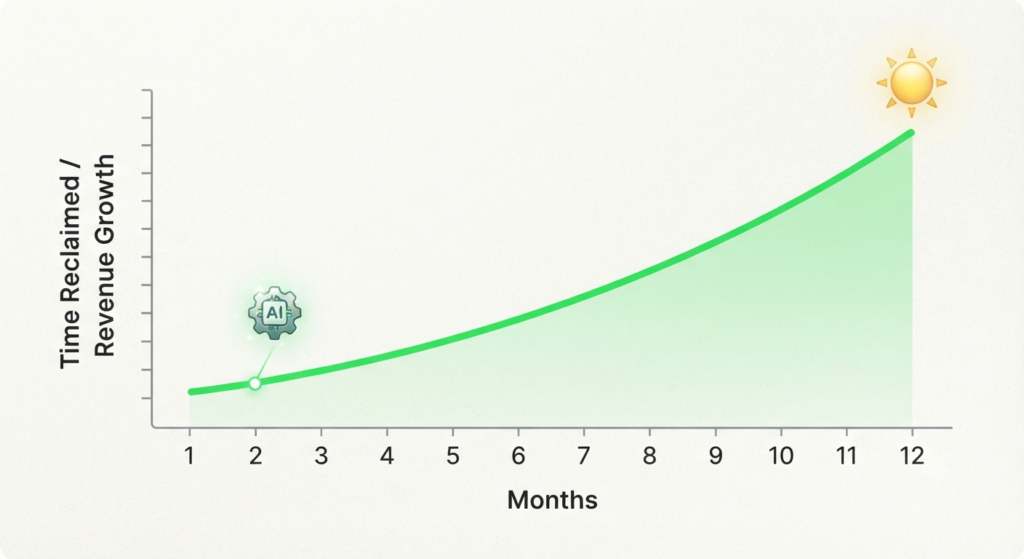
Artificial intelligence has moved beyond being a futuristic concept and is becoming a practical part of many modern business workflows.
By selectively adopting tools that reduce repetitive work, support your brand voice, and improve efficiency, small businesses can make better use of limited time and resources.
Remember that the goal of implementing AI isn’t to work faster just to do more work—it’s to reclaim your time so you can focus on what truly matters: serving your customers and growing your vision. Small improvements made consistently with AI can lead to significant business growth over time.
Call to Action
Ready to improve your small-business workflow? Pick one tool from this guide that addresses your biggest daily challenge, try its free option if available, and see whether it genuinely saves you time before adding more AI tools.