Ever found yourself a bit overwhelmed by ChatGPT’s pricing page? You’re not alone. ChatGPT plans are no longer as simple as they once were — when the main choice was essentially Free or ChatGPT Plus. It’s not like it was then. Today, there are four different ChatGPT plans, and they all offer varying levels of access to models, tools, and general functionality.
The distinctions between these ChatGPT plans aren’t simply “more of the same.” Some plans alter the models you’re really conversing with. Others tend to modify the amount of use you can make of certain tools, such as the ability to create images, communicate in voice chat or upload files. There are a few similarities to regular texting, even with the different ChatGPT plans, which is surprising to a lot of people.
In this guide, we are going to dissect each of the four ChatGPT plans – Free, Go, Plus, and Pro – in simple, normal terms. We’re not going to release specific numbers or pricing, as OpenAI may change these periodically, and any one figure we release today may be inaccurate by the time you read this. Instead, we’ll look at the purpose each plan is actually designed for, to compare it with your own ChatGPT usage.
Before we delve into the details, there’s a quick warning: the pricing of ChatGPT plans, models, and limits are in constant flux, so be sure to check OpenAI’s official pricing page before committing to a product.
What Are the ChatGPT Plans in 2026?
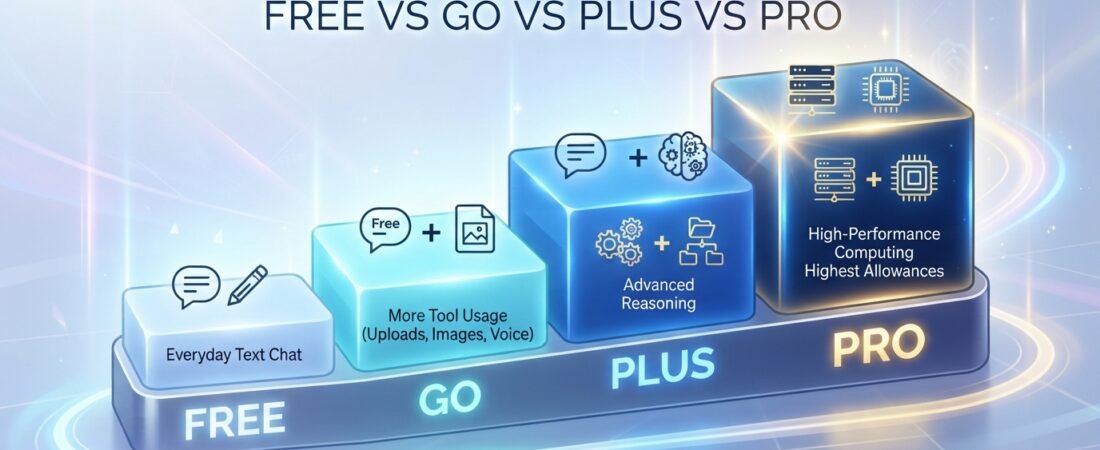
Currently, there are four separate ChatGPT plans, and they’ve been arranged here from most basic to most advanced:
- · Free — the entry point that doesn’t require payment, perfect for testing out ChatGPT and for basic queries.
- · Go — a paid option that’s a little more affordable than Plus, designed for those who value space to work with tools, but don’t need the full Plus features.
- · Plus — the most applicable plan for individual professionals and regular users, granting access to additional models and a more comprehensive toolkit.
- · Pro — the highest individual level, for those heavy researchers, coders or agents who need the maximum ceiling that ChatGPT provides.
We will proceed with the Free, Go, Plus and Pro variants of ChatGPT, as mentioned, since this guide focuses on individual use, there is also a version of ChatGPT for teams and organizations, called Business and Enterprise ChatGPT.
Let’s visualize the ladder a bit: Free is for when you want to see what ChatGPT can do; Go is for those who want to eliminate some of the most frequent pain points at a lower price; Plus is the “I use this seriously” tier, and Pro is for folks using ChatGPT rigorously, day after day.
ChatGPT Free
What you get
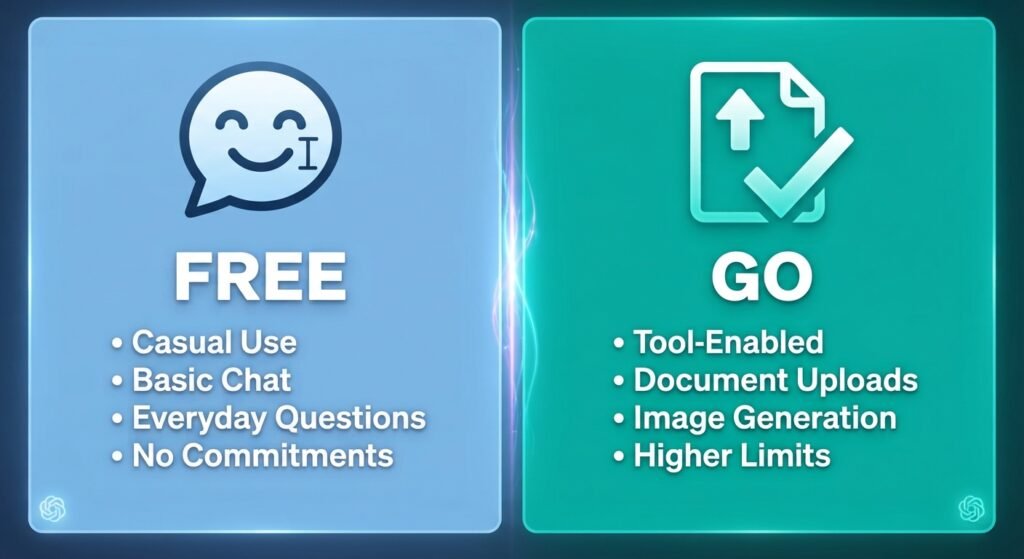
The Free plan is what you’d expect it to be. No sign-up or payment required, and immediate access to ChatGPT. It’s designed to provide everyone a chance to try out the product and derive real value from it without risking their money.
Everyday text chat
Another surprise is that, on the Free plan, text conversations aren’t designed to be limiting. Driven by the core experience of using the chat (like asking a question, getting an explanation, writing text), OpenAI is building it to be used on the regular, as long as you’re within normal, reasonable use. If you’re primarily communicating with ChatGPT via plain text, then Free can really take you a long way.
Tool limitations
The areas that Free is beginning to feel very constrained in is in anything that is built on top of plain chat. These include uploading files, creating images, voice chat, deep research, and even access to coding tools such as Codex, is available across ChatGPT plans, but usage limits and available capabilities vary by plan. Paid plans provide higher allowances, with Pro offering the highest level of access. Memory, which enables ChatGPT to recall helpful information from your conversations, is also less extensive than on the paid plans.
The audience it is targeted for.
Free fits casual users best, those who are new to ChatGPT, students who are occasionally getting homework support, or anyone who gets most of the answers without relying on features such as image creation or file analysis. If this is the case, then Free could well be all you need, at least for the time being.
ChatGPT Go
What Go adds
Up from Free is Go, which is designed to address just a single issue: you don’t want to be using all the ChatGPT Plus features, you just want to chat. Go builds on the Free plan by giving you more room to use ChatGPT’s tools and features.
More tool usage
The most significant difference between Free and Go is the way tools are used. Go provides you with greater space to communicate with tools, for example, you can use features more often similar to assistant’s without friction, such as file uploads.
More uploads, images and voice
In addition, Go increases the allowance for documents to be uploaded, images created and voice chat. They’re not endless upgrades, but they’re certainly a lot more generous than the options offered by Free, and that’s a significant difference if you’re frequently using ChatGPT to edit a document or create a quick graphic.
Memory differences
It works the same in Go: memory improves! While Free is more limited in memory, Go’s memory feature is more comprehensive, allowing ChatGPT to remember more of your preferences and previous interactions.
Availability and pricing caveat
The availability and specific price point for Go may differ by country and currency, and OpenAI has been introducing it slow by slow to various markets. What’s more, it’s important to know that depending on location, the Go plan might display ads. If it seems like a good option, you should visit the pricing page on OpenAI’s official website and see what’s offered in your area.
ChatGPT Plus
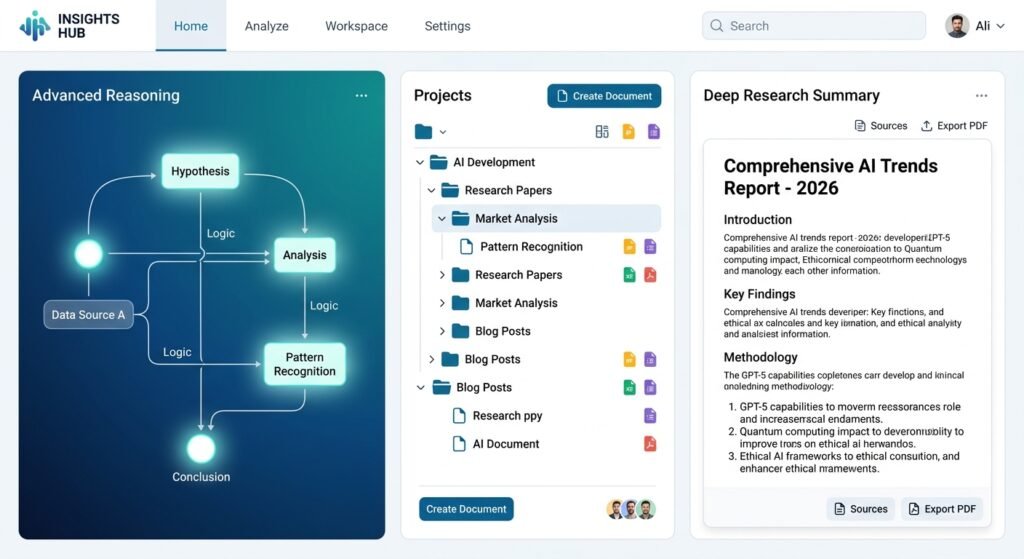
Advanced reasoning
With Plus, ChatGPT begins to seem like it has more power. This is where you begin access to more sophisticated reasoning models from OpenAI that can be applied to multi-step problems instead of just answering them off the cuff. When you’ve ever had the sensation that a lesser model was giving you fluffy answers, Plus is generally the improvement you want.
Higher limits
Messages, uploads and tools all grow significantly in size across the board when compared to Go. You will not be as likely to hit a wall in the middle of a real work session.
Deep Research
Enjoy all the benefits of Deep Research, OpenAI’s research and fact-checking tool, which compiles a well-structured, in-depth response from multiple sources. This is technically available on Free and Go, but limited. Plus makes it something that’s actually useful.
Projects help you organize related chats, files and instructions into a single group. They are available across ChatGPT plans, with higher file and collaboration limits on paid plans.
Tasks
Plus is also the first ChatGPT plan to feature scheduled tasks, which enable ChatGPT to perform reminders or repetitive tasks for you without you having to open a new chat and prompt ChatGPT each time.
Codex
There is a solid expanded allowance for Codex, OpenAI’s coding-centric tool, on Plus. This is a worthwhile improvement over the restricted access available on Free and Go, for any coder or scripter, even those who do it a few times a year.
ChatGPT Work
Plus also expands access to a feature of ChatGPT Work: a workspace-oriented function that is now available mostly on desktop but across the board on desktop, web and mobile.
When you put it all together, Plus is ideal for users who rely on ChatGPT as a daily companion, as opposed to an occasional helper, and that is why it often comes up as a top suggestion for freelance writers, content creators and small business owners.
ChatGPT Pro
Higher usage tiers
Pro is a little different to the ChatGPT plans below it. Rather than a single tier, Pro includes a selection of tiers for usage, so heavier users can select a tier that closely aligns with their usage.
Pro reasoning
Pro unlocks OpenAI’s most powerful reasoning model, the most powerful one available for taking on difficult, high-stakes or highly technical tasks.
Deep Research
While Plus offers you an upgraded version of Deep Research, Pro takes it further, providing you with the best that OpenAI can currently offer you. If you’re not just looking for quick blurbs, but need extended research reports with plenty of sources, this is very important.
In both Codex and ChatGPT Work, the sessions are also extended out, with support for longer sessions. This is particularly beneficial for developers engaged in larger coding projects or professionals with more extensive and complex workflows.
Higher-end usage
Pro also includes quicker, less limited image generation, the ability to have a longer “context window” (ChatGPT will be able to remember more information for a single conversation), and access to new features before they become generally available.
To summarize, Pro is a more suitable option for users who use ChatGPT extensively, researchers, and developers whose work truly relies on ChatGPT—those who have outgrown the capabilities of Plus and need more advanced tools.
ChatGPT Free vs Go vs Plus vs Pro
Let’s compare and contrast the four ChatGPT plans side by side. Just be aware that these are not absolute numbers but relative; OpenAI adjusts absolute limits over time.
| Feature area | Free | Go | Plus | Pro |
| Everyday text chat | Available for regular use | Available for regular use | Available for regular use | Available for regular use |
| Advanced reasoning models | Not included | Not included | Included | Included, plus top-tier option |
| Tool usage (uploads, images, voice) | Limited | More than Free | Expanded further | Highest allowance |
| Memory | Limited | Fuller memory | Expanded | Expanded |
| Deep Research | Limited | Limited | Included | Maximum level |
| Codex (coding tool) | Limited | Limited | Expanded | Further expanded |
| ChatGPT Work | Limited, mainly desktop | Limited, mainly desktop | Desktop, web, and mobile | Desktop, web, and mobile |
| Projects and scheduled tasks | Basic | Available | Available | Available, expanded |
| Context window (how much ChatGPT can “remember” in one chat) | Smallest | Larger than Free | Larger still | Largest available |
| New feature access | Standard rollout | Standard rollout | Early access | Research preview access |
| Best suited for | Casual, first-time users | Light daily users wanting more tool access | Regular individual users and professionals | Heavy researchers, developers, and power users |
How ChatGPT Usage Limits Differ by Plan
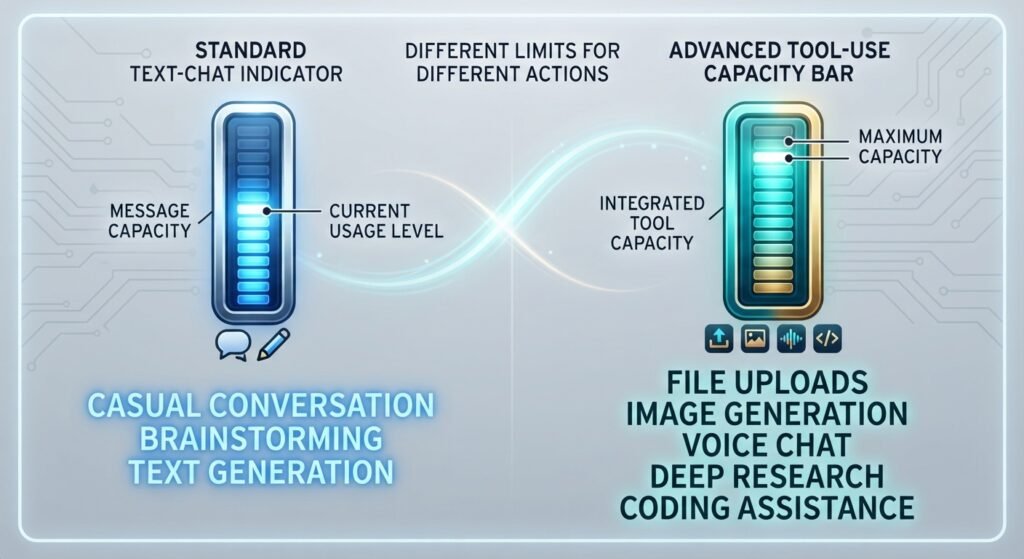
I think this is where all of the confusion really lies, let’s slow down and try to distinguish between two very distinct things: text-chat limits vs. tool / model limits.
All of the ChatGPT plans handle casual text conversations, such as answering questions and brainstorming, almost the same way. Because this core chat experience is created to be used frequently, regardless of your plan, it’s important to use it in a reasonable way, and within their typical usage guidelines. Talking to ChatGPT extensively doesn’t really distinguish these plans from each other.
The difference between the ChatGPT plans is the availability of tools and models. This means you will need to use:
- How often you can upload files or images
- How much image generation you’re allowed to do
- How much voice chat you get
- How deep and thorough Deep Research responses can be
- How much Codex or coding-assistant usage you have access to
- How large a context window you get, meaning how much information ChatGPT can actively work with in one conversation
- Which underlying models you can even access, since some advanced reasoning models simply aren’t available below Plus
So, if someone says “ChatGPT has a limit on how much can be chatted up”, it’s helpful to ask, “A limit on how much what? Language in everyday discourse – or in a particular tool? The former are indeed two different systems, and their own plan comparisons treat them as such.
Another note of caution: All of the above remains part of OpenAI’s broader rules of usage – typically referred to as an OpenAI “reasonable-use” or “abuse-prevention” guardrail. Even with the “unlimited” features, it is expected that they will be used in a “normal” and “human” manner and not automatically like a bulk use.
Which ChatGPT Plan Is Right for Different Types of Users?
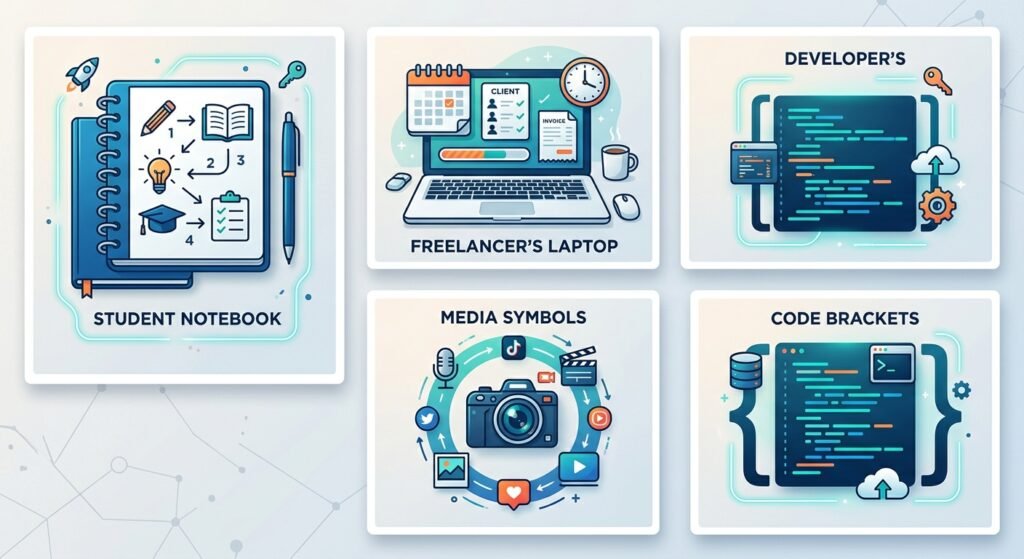
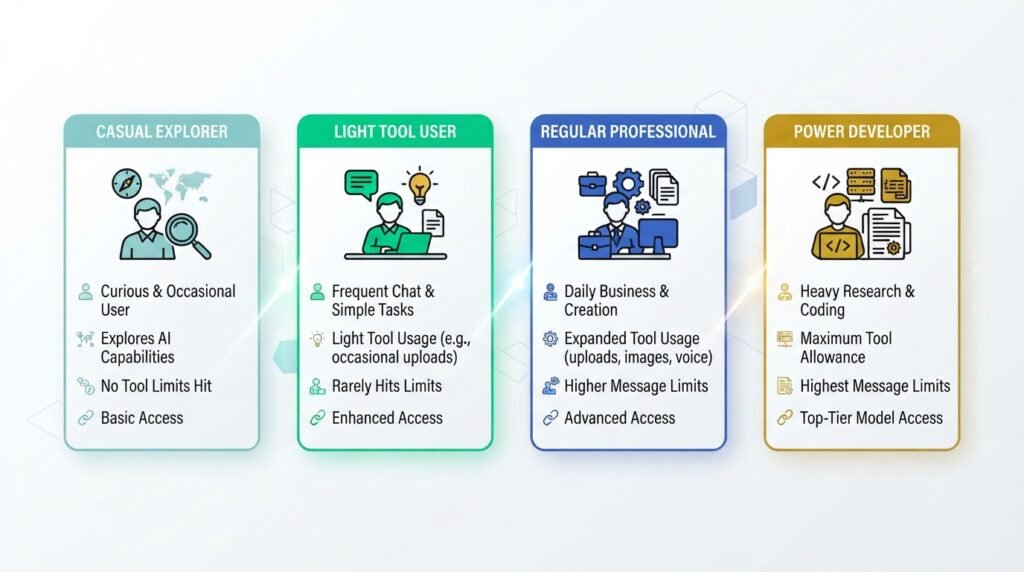
Simply put, it isn’t a good idea to label one plan as the “best” plan; it’s better to match the plan to how you’re utilizing ChatGPT in your daily workflow. Here are some practical explanations.
Casual user
For anyone who uses ChatGPT occasionally and needs it to ask them a question, to help write a quick message or just to learn more about AI, Free will probably be all they need. No advanced reasoning models or extensive tool access is required for this type of light, infrequent use.
Student
There are a few things that students typically get more than Free does for them, particularly in regards to uploading files (notes, documents, etc.) and a little more depth in thought for harder classes. Go can be a decent compromise here, and Plus will be worth consideration when typing up heavier documents such as research papers or exams.
Beginner freelancer
If you’re new to using ChatGPT for client projects, writing, or simple tasks for your small business then Go may be all you need. However, the minute you begin to use a tool such as file analysis, image generation, or having multiple projects on the go, Plus starts to become the more practical option rather quickly.
Content creator
Advanced reasoning, image generation, and Projects are more likely to be used by users of the Content Creation, Blogging, and Store apps. This is what is the core of Plus.
Heavy AI user
Pro might be a better choice for developers who have to code multiple times a day, researchers that need lengthy reports with ample sources, or anyone who relies on ChatGPT as a key part of their daily routine.Pro could be an ideal option for developers who need to code frequently, researchers who require long, well-sourced reports, and anyone who sees ChatGPT as a primary tool in their workflow.
The good news: There’s no one-size-fits-all “right” plan with the various ChatGPT plans. The correct one is the one that is the most similar to the frequency you are running into the limits of the one below it.
Do You Need ChatGPT Plus If Free Is Enough?
This is a good question and it directly relates to one we had in our previous article on the limits of ChatGPT for Free and Plus users. If you haven’t read our ChatGPT Free vs Plus guide yet, it’s worth reading alongside this one, as it explains the differences between the two plans in more detail.
The quick answer: If Free has everything you’re looking for, the concept of text chatting seems like a perfect match for you and you don’t use any of the other tools such as image generations, file uploads or Deep Research very often, you don’t really need to upgrade. Many casual users use Free and make good use of it, without ever feeling like it’s a limitation.
If you find yourself continually running into “limited” messaging around tools, wishing that you had access to more sophisticated reasoning models, or if there are features such as Projects and scheduled tasks you would like that keep your work well organized, you’ve likely outgrown Free. Then, Plus becomes more of a time saver and less of a luxury.
Helpful advice: Keep a log for one week of when you need to use a tool that ChatGPT restricts access to Free. Go with what you have if it’s not common. If it’s something you want to do every day, you should get it because it will save you time.
Are ChatGPT Plans and Limits Changing?
Yes, and probably more often than you’d expect. OpenAI regularly updates its models, rolls out new plans, adjusts what each tier includes, and shifts pricing across different regions. Over just the past year, the ChatGPT plans lineup itself has changed, with newer tiers like Go getting introduced to sit between Free and Plus.
This is exactly why we’ve avoided quoting specific numbers throughout this guide. Any exact figure, a message count, a price, a context size, is realistically only accurate for a limited window of time before OpenAI adjusts it again.
The practical habit worth building here is simple: before making a decision based on a specific limit or price, check OpenAI’s official ChatGPT pricing page directly. It gets updated as changes roll out, and it will always be more current than any single article, including this one.
FAQs
1. Is ChatGPT free to use?
Answer: Yes. Anyone can use ChatGPT’s Free plan with no payment details required. It covers everyday text chatting, with more limited access to tools like image generation, file uploads, and voice chat.
2. What is the difference between ChatGPT Go and Plus?
Answer: Go is the lower-cost entry-level paid plan among the ChatGPT plans, mainly expanding how much you can use tools like uploads, images, and voice chat compared to Free. Plus goes further, unlocking advanced reasoning models, expanded Deep Research, Projects, and broader access to Codex and ChatGPT Work.
3. Is ChatGPT Plus unlimited?
Answer: No. Plus significantly raises your limits across tools and features compared to Free and Go, but it isn’t unlimited. Usage is still subject to OpenAI’s general usage policies, even on paid plans.
4. What is the difference between ChatGPT Plus and Pro?
Answer: Pro sits above Plus, offering a choice of higher usage tiers, access to OpenAI’s top reasoning model, the maximum level of Deep Research, and the largest context window. Pro is built for heavy, daily users rather than typical individual use.
5. Is ChatGPT Go worth it compared to Free?
Answer: If your only frustration with Free is running into tool limits, like uploads or image generation, Go is built exactly for that situation. If you rarely use those tools, Free may still be enough.
6. Does ChatGPT Go include ads?
Answer: Depending on your region, the Go plan may include ads. This can vary, so it’s worth checking current details on OpenAI’s official pricing page.
7. Do I need ChatGPT Pro as a beginner?
Answer: Generally, no. Pro is aimed at heavy users, like developers and researchers who regularly hit Plus’s limits. Most beginners are better served starting on Free or Go and upgrading only once they consistently outgrow the plan they’re on.
8. Can I switch between ChatGPT plans anytime?
Answer: Yes, you can upgrade or downgrade your plan from your account settings whenever you like. There’s no long-term commitment tying you to a specific tier.
9. Does ChatGPT Plus include access to OpenAI’s API?
Answer: No. A ChatGPT subscription (Go, Plus, or Pro) only covers the ChatGPT chat product. API usage for building your own apps is billed completely separately.
10. Is ChatGPT available as a family or shared plan?
Answer: No, OpenAI currently only offers individual subscriptions (Go, Plus, Pro) for personal use. Account sharing across multiple people isn’t permitted under OpenAI’s terms.
11. Which ChatGPT plan gives access to the most advanced model?
Answer: The most advanced reasoning model is reserved for Pro, though Plus also includes strong advanced reasoning options. Free and Go are limited to more basic models.
12. Can I generate images on the ChatGPT Free plan?
Answer: Yes, image generation is available on Free, but in a limited form. Go, Plus, and Pro each expand this allowance further, with Pro offering the most generous and fastest image generation.
13. Is ChatGPT Plus worth it for everyday work?
Answer: If you use ChatGPT daily for writing, research, coding, or organizing multiple projects, Plus tends to be worth it, since it removes most of the friction points people run into on Free or Go.
14. What happens if I reach a usage limit on my plan?
Answer: You’ll typically see a notice in ChatGPT letting you know a specific tool or feature has reached its limit for now. Everyday text chatting is generally unaffected, since it’s treated differently from tool-specific limits.
15. Are ChatGPT plans and pricing the same in every country?
Answer: Not necessarily. Availability, especially for Go, and exact pricing can vary by region and currency. It’s best to check OpenAI’s pricing page directly using your own location.
Final Thoughts
ChatGPT’s move from a simple free-or-Plus choice to a four-tier lineup, Free, Go, Plus, and Pro, really reflects how differently people use AI today. Some folks just want quick answers. Others lean hard on tools like image generation, file analysis, or coding assistance. A smaller group pushes ChatGPT to its limits pretty much every single day.
The good news? You don’t need to memorize exact limits or pricing to make a sensible choice between these ChatGPT plans. Instead, pay attention to your own habits: how often you chat versus how often you reach for tools, how much you’d actually benefit from advanced reasoning models, and whether features like Projects, Deep Research, or Codex are things you’d genuinely use regularly.
Start with the plan that matches your current habits, not the one that sounds most impressive on paper. You can always move up a tier the moment you notice yourself bumping into real limitations, and since OpenAI updates these ChatGPT plans fairly often, it’s worth revisiting this decision every few months rather than treating it as a one-time, permanent choice.
Take a moment and think honestly about your last week of ChatGPT use. Were you mostly chatting, or leaning on tools like image generation, file uploads, or research? That answer alone probably tells you which of the ChatGPT plans, Free, Go, Plus, or Pro, is the right fit for you right now.
Have questions about your specific situation, or curious how your usage compares to others? Drop a comment below, we’re always happy to help you figure out what makes sense for your workflow. And if this guide helped clear things up, go ahead and share it with someone else who’s stuck choosing between ChatGPT plans.